01 · Fidelity+
Browser-grade output
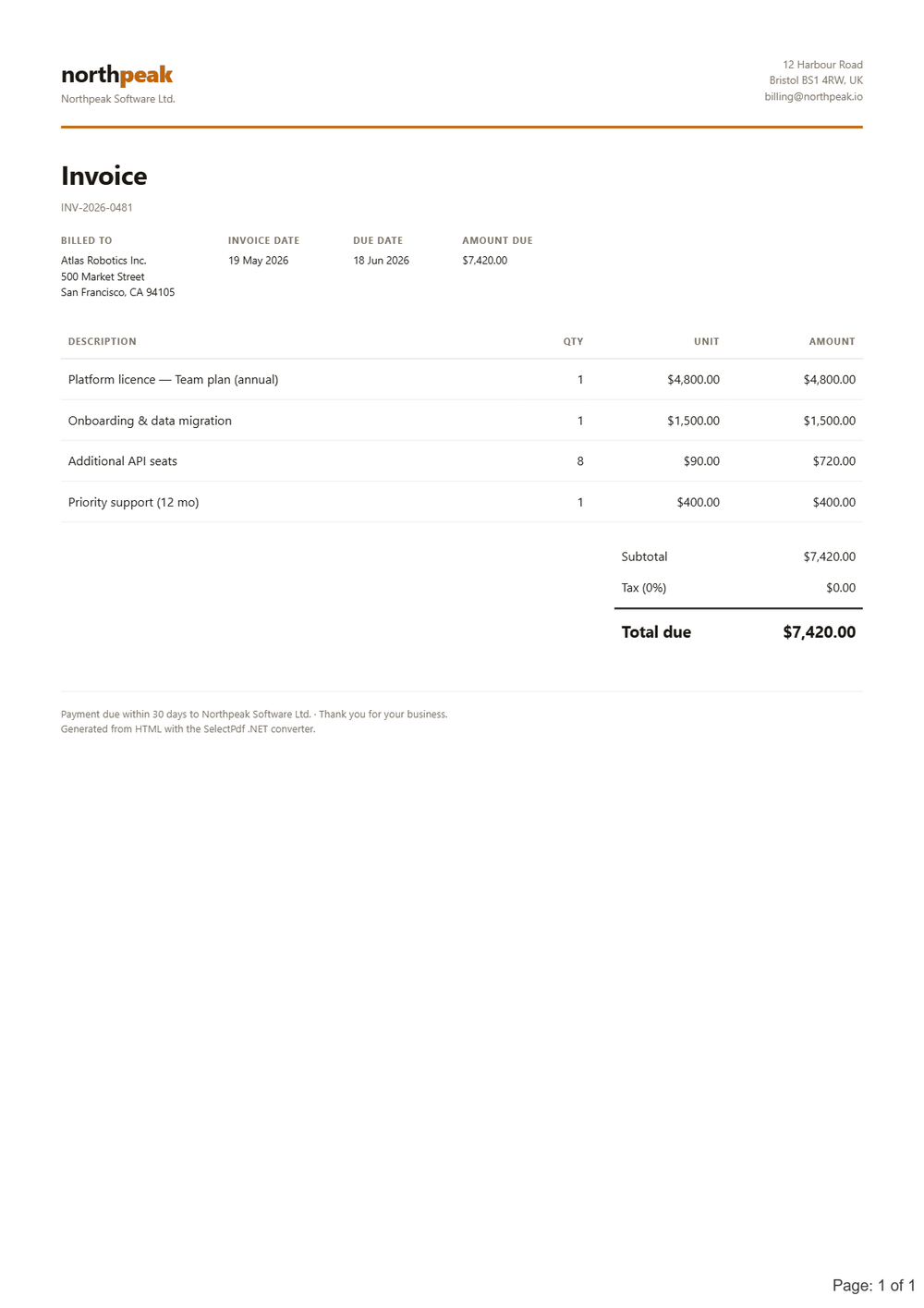
Pixel-perfect PDFs: pages render the way they look in a browser.
- Full HTML5, CSS3 and web fonts
- Powerful JavaScript engine
- @media types screen & print
SelectPdf is the best HTML to PDF converter for .NET — browser-grade rendering with no external dependencies, a three-line API, and ready-made ASP.NET MVC, Web Forms and WinForms samples in C# and VB.NET. It is the commercial SelectPdf library: a perpetual per-developer license, royalty-free OEM options, and a free, no-limit trial — every page watermarked — to evaluate it before buying.
New: SelectPdf.Universal is our flagship. An API you already know, on Windows, Linux and macOS on Apple Silicon, plus Word to PDF, redaction and signature validation. This page covers the classic Windows converter, which continues to be maintained; one license covers both. See the cross-platform library →
One NuGet package. No third-party software to install.
What developers pick SelectPdf for when they need HTML to PDF inside a .NET application.
Pixel-perfect PDFs: pages render the way they look in a browser.
One NuGet package, nothing else to install.
Drop it into the .NET app you already have.
Create, convert, save — that is the whole thing.
Customisable running chrome on every page.
Standards-compliant, archival output.
Full HTML5, CSS3 and JavaScript support.
Buy once — royalty-free OEM options for unlimited deployments.
Identical output as the cloud API.
An MVC action, a Razor Page handler, or a Blazor button — pick your shape. Same engine, same one-line conversion call.
using System.Web.Mvc;
using SelectPdf;

public class PdfController : Controller
{
    public ActionResult Export()
    {
        // instantiate the HTML to PDF converter
        HtmlToPdf converter = new HtmlToPdf();
        converter.Options.PdfPageSize = PdfPageSize.A4;

        // convert a URL (e.g. another action) to PDF
        PdfDocument doc = converter.ConvertUrl(
            Url.Action("Invoice", "Orders", null, Request.Url.Scheme));

        byte[] pdf = doc.Save();
        doc.Close();

        return File(pdf, "application/pdf", "invoice.pdf");
    }
}
Imports System.Web.Mvc
Imports SelectPdf

Public Class PdfController
    Inherits Controller

    Public Function [Export]() As ActionResult
        ' instantiate the HTML to PDF converter
        Dim converter As New HtmlToPdf()
        converter.Options.PdfPageSize = PdfPageSize.A4

        ' convert a URL (e.g. another action) to PDF
        Dim doc As PdfDocument = converter.ConvertUrl(
            Url.Action("Invoice", "Orders", Nothing, Request.Url.Scheme))

        Dim pdf As Byte() = doc.Save()
        doc.Close()

        Return File(pdf, "application/pdf", "invoice.pdf")
    End Function
End Class
using Microsoft.AspNetCore.Mvc;
using Microsoft.AspNetCore.Mvc.RazorPages;
using SelectPdf;

public class ExportModel : PageModel
{
    [BindProperty]
    public string SourceUrl { get; set; } = "https://selectpdf.com";

    public IActionResult OnPost()
    {
        // instantiate the HTML to PDF converter
        HtmlToPdf converter = new HtmlToPdf();
        converter.Options.PdfPageSize = PdfPageSize.A4;

        // convert a URL to PDF
        PdfDocument doc = converter.ConvertUrl(SourceUrl);

        byte[] pdf = doc.Save();
        doc.Close();

        // stream the PDF straight back to the browser
        return File(pdf, "application/pdf", "invoice.pdf");
    }
}
@page "/export"
@inject IJSRuntime JS
@using SelectPdf

<button class="btn btn-primary" @onclick="OnExport">Download PDF</button>

@code {
    private async Task OnExport()
    {
        // instantiate the HTML to PDF converter
        HtmlToPdf converter = new HtmlToPdf();
        converter.Options.PdfPageSize = PdfPageSize.A4;

        // convert a URL to PDF
        PdfDocument doc = converter.ConvertUrl("https://selectpdf.com");

        byte[] pdf = doc.Save();
        doc.Close();

        // stream the bytes to the browser via JS interop
        await JS.InvokeVoidAsync("selectpdfDownload",
            "invoice.pdf", "application/pdf",
            Convert.ToBase64String(pdf));
    }
}
The free trial ships ready-to-run samples in C# and VB.NET for Windows Forms, ASP.NET, ASP.NET MVC, Razor Pages and Blazor on .NET 10 — plus full online documentation and human support. Need the complete option list instead? See the HTML to PDF converter reference.
This page is the short answer to "which .NET HTML to PDF converter?". For the exhaustive conversion-option reference see the HTML to PDF converter for .NET; for merge, split, sign and PDF forms see the full PDF library for .NET; for Linux, macOS and Docker use the cross-platform SelectPdf.Universal; from a non-.NET stack use the HTML to PDF API.
Drop a URL into the free online converter and get back a real PDF, with no watermark — no key, no signup.
Full API reference and runnable C# / VB.NET samples ship in the docs — or just ask the team.
OnPost handler can return the generated PDF as a FileResult; a Blazor button can stream the bytes to the browser via a small JS-interop helper.