01 · HTML→PDF+
HTML to PDF
Convert any web page or raw HTML string to PDF.
- HTML5/CSS3, web fonts, @media screen & print
- Convert a section, or exclude elements
- HTTP headers, cookies, POST, auth, proxy
SelectPdf is a battle-tested PDF library for .NET — convert HTML to PDF or image with pixel-perfect rendering from the latest Chromium engine, extract text, merge, split and sign. A perpetual per-developer license, royalty-free OEM options, a free trial and a Community Edition. Targets .NET Framework 2.0+/4.0+, .NET Core and .NET 5–10. For Linux, macOS and Docker, SelectPdf.Universal runs the same API under the same license.
New: SelectPdf.Universal is our flagship. An API you already know, on Windows, Linux and macOS on Apple Silicon, plus Word to PDF, redaction and signature validation. This page covers the classic Windows library, which continues to be maintained; one license covers both. See the cross-platform library →
Perpetual, per-developer. Royalty-free OEM options.
Free. Generates PDFs up to 5 pages.
Functionally the full converter — the only limitation is that it generates PDF documents up to five pages. The commercial library removes that limit; swap in a license key and your existing code keeps working. C# & VB.NET samples for Windows Forms and ASP.NET are included. Cross-platform: SelectPdf.HtmlToPdf.Universal.
The real feature set of the SelectPdf SDK for .NET — the same surface documented on the product reference.
Convert any web page or raw HTML string to PDF.
Convert any web page or raw HTML string to an image.
Extract text from any PDF document.
Convert PDF pages to images.
Generate PDFs from scratch or load and modify existing documents.
Reorganise documents at the page level.
Protect and sign documents.
Brand and annotate every page.
Fill PDF form fields programmatically.
Standards-compliant output.
Control pagination and running chrome.
Fine-tune the document and the conversion.
New in the cross-platform edition: tables of contents with page numbers, fillable forms from HTML forms, signing with USB tokens and HSMs, Word to PDF, redaction and signature validation ship in SelectPdf.Universal, alongside PDF/A-4, PDF/UA-2 and AES-GCM. It also runs on Alpine Linux, through the engine container. See the cross-platform PDF library →
dotnet add to a saved PDF.Two examples: the smallest possible document, and a real URL→PDF with options, plus the same URL→PDF on SelectPdf.Universal for Linux, macOS and Docker. Copy them into a fresh console app — they compile and run.
// create a new PDF document
SelectPdf.PdfDocument doc = new SelectPdf.PdfDocument();
// add a new page
SelectPdf.PdfPage page = doc.AddPage();

// create a font
SelectPdf.PdfFont font = doc.AddFont(SelectPdf.PdfStandardFont.Helvetica);
font.Size = 20;

// create a text element
SelectPdf.PdfTextElement text = new SelectPdf.PdfTextElement(50, 50, "Hello world!", font);
page.Add(text);

// save the pdf
doc.Save("test.pdf");
doc.Close();
' create a new PDF document
Dim doc As New SelectPdf.PdfDocument()
' add a new page
Dim page As SelectPdf.PdfPage = doc.AddPage()

' create a font
Dim font As SelectPdf.PdfFont = doc.AddFont(SelectPdf.PdfStandardFont.Helvetica)
font.Size = 20

' create a text element
Dim text As New SelectPdf.PdfTextElement(50, 50, "Hello world!", font)
page.Add(text)

' save the pdf
doc.Save("test.pdf")
doc.Close()
using SelectPdf;

// Render a live URL — JS, web fonts, print CSS, the works.
var converter = new HtmlToPdf();
converter.Options.PdfPageSize       = PdfPageSize.A4;
converter.Options.WebPageWidth      = 1200;
converter.Options.JavaScriptEnabled = true;
converter.Options.MinPageLoadTime   = 1;
converter.Options.MaxPageLoadTime   = 60;

// HTML header on every page.
converter.Options.DisplayHeader = true;
converter.Header.Height = 40;
converter.Header.Add(new PdfHtmlSection(
    "<b>Invoice 4821</b>", "https://yourapp.com"));

PdfDocument doc = converter.ConvertUrl(
    "https://yourapp.com/invoice/4821");

doc.Save("invoice-4821.pdf");
doc.Close();
Imports SelectPdf

Module InvoicePdf
    Sub Main()
        Dim converter As New HtmlToPdf()
        converter.Options.PdfPageSize       = PdfPageSize.A4
        converter.Options.WebPageWidth      = 1200
        converter.Options.JavaScriptEnabled = True

        ' HTML header on every page
        converter.Options.DisplayHeader = True
        converter.Header.Height = 40
        converter.Header.Add(New PdfHtmlSection(
            "<b>Invoice 4821</b>", "https://yourapp.com"))

        Dim doc As PdfDocument = converter.ConvertUrl(
            "https://yourapp.com/invoice/4821")

        doc.Save("invoice-4821.pdf")
        doc.Close()
    End Sub
End Module
// On Linux, macOS or Docker, only the namespace changes.
using SelectPdf.Universal;

var converter = new HtmlToPdf();
converter.Options.PdfPageSize       = PdfPageSize.A4;
converter.Options.WebPageWidth      = 1200;
converter.Options.JavaScriptEnabled = true;
converter.Options.MinPageLoadTime   = 1;
converter.Options.MaxPageLoadTime   = 60;

// HTML header on every page.
converter.Options.DisplayHeader = true;
converter.Header.Height = 40;
converter.Header.Add(new PdfHtmlSection(
    "<b>Invoice 4821</b>", "https://yourapp.com"));

PdfDocument doc = converter.ConvertUrl(
    "https://yourapp.com/invoice/4821");

doc.Save("invoice-4821.pdf");
doc.Close();
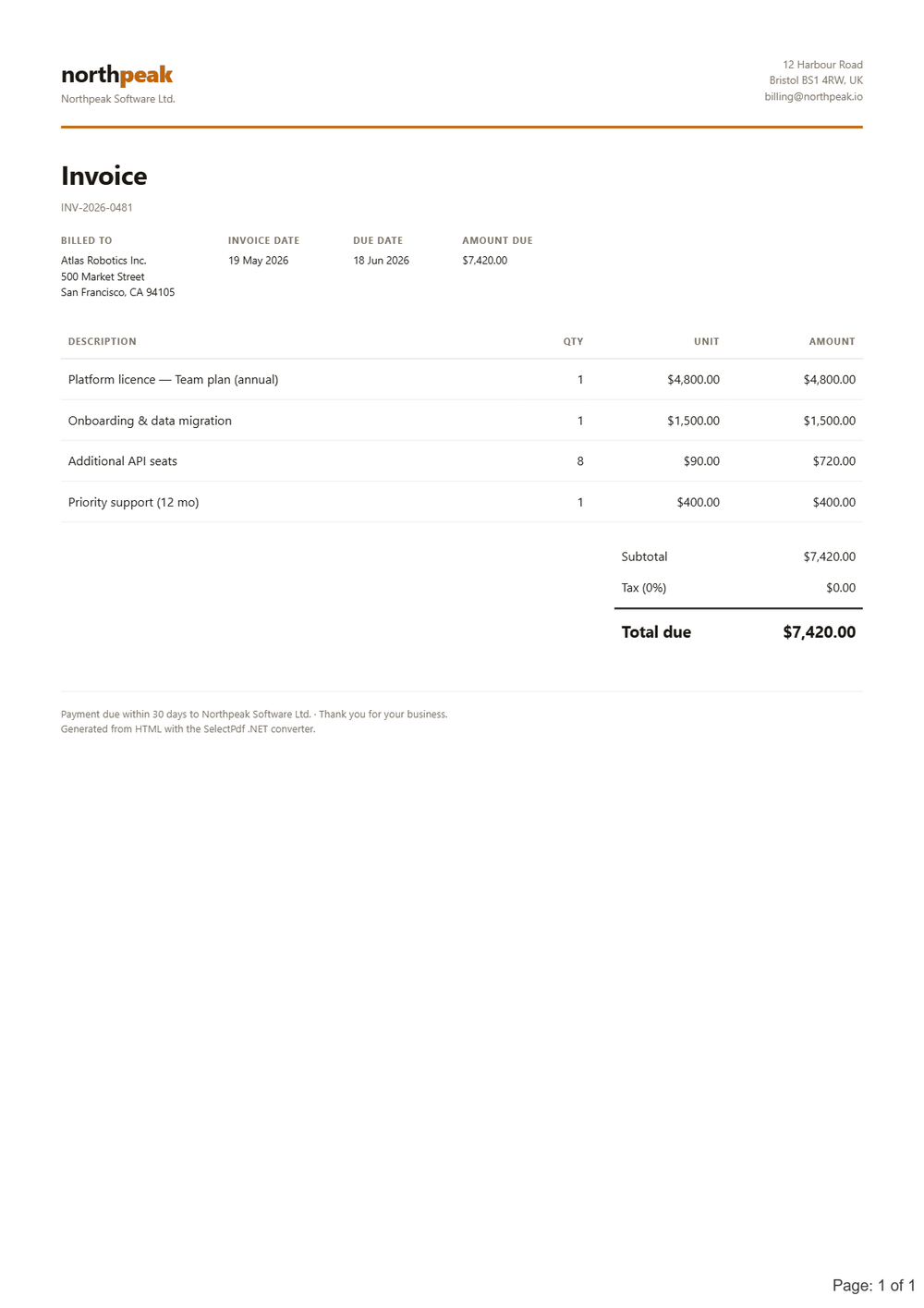
The latest Chromium engine renders your HTML5, CSS3 and JavaScript the way a browser does; the library then saves, secures and signs the PDF.
One file a person can read and a machine can parse — the invoice XML travels inside the PDF, and invoice software finds it without being told.
A hybrid electronic invoice is a normal PDF with the structured invoice XML embedded as an associated file and the document metadata marked so accounting systems recognise it. AddZugferdInvoice does both in one call: it embeds the XML, names it as the standards require, and writes the ZUGFeRD and Factur-X metadata. The same call works in SelectPdf.Universal.
The carrier has to be a PDF/A-3 document — that is what the invoice standards mandate — so set the standard on the conversion first. Choosing PdfA3A additionally makes the visible invoice accessible, which the standards recommend.
Prefer not to host anything? The same hybrid invoice is available over REST from the HTML to PDF API.
using SelectPdf;

// the carrier must be PDF/A-3
HtmlToPdf converter = new HtmlToPdf();
converter.Options.PdfStandard = PdfStandard.PdfA3B;
PdfDocument doc = converter.ConvertUrl(
    "https://example.com/invoice");

// embed the XML and mark the metadata
using (FileStream xml = File.OpenRead("factur-x.xml"))
{
    doc.AddZugferdInvoice(xml, ZugferdProfile.En16931,
        PdfAttachmentRelationship.Alternative);
}

doc.Save("invoice.pdf");
doc.Close();
The .NET library ships in two editions: the classic packages for Windows (x86 and x64), including Azure Web Apps, and SelectPdf.Universal for Windows, Linux (x64/ARM64) and macOS on Apple Silicon — our new flagship; one perpetual license covers both. Not on .NET, or want nothing to deploy? The HTML to PDF API is the same engine over REST — and the same engine the free Community Edition uses. Library pricing is perpetual, from $499. Only converting web pages or HTML? See the focused HTML to PDF converter, or why it's the best HTML to PDF converter for .NET.
The library and the Online API share this engine. Paste a URL or HTML code — we convert it and hand back a real PDF: free, no signup, no key, no watermark.
More in the .NET library docs and the API reference — the rest is one email away.