HTML to PDF Converter · v26.3 22M+ NuGet downloads · since 2014

HTML to PDF Converter for .NET.
Convert a URL or HTML string from C#.

A fast, accurate HTML to PDF converter for any .NET application — turn a live web page or a raw HTML string into a pixel-faithful PDF with full HTML5/CSS3/JavaScript, headers, footers and page breaks. It is the conversion engine of the commercial SelectPdf library: a perpetual per-developer license, royalty-free OEM options, and a free, no-limit trial — every page watermarked — to evaluate it before buying.

COMMERCIAL · SELF-HOSTED

Add the converter to your project

No third-party dependencies. Runs inside your .NET app on Windows.

# commercial library (HTML to PDF + full toolkit):
$ dotnet add package Select.Pdf
 
# free Community Edition — HTML to PDF converter only:
$ dotnet add package Select.HtmlToPdf
URL → PDF HTML string → PDF C# & VB.NET
§CONVERSION

From URL or HTML string to PDF.

Everything the HTML to PDF conversion exposes — the full option surface, controlled from a few lines of C# or VB.NET.

01 · Inputs+
URL & raw HTML

Convert any web page or any raw HTML string to PDF.

  • Convert any web page to PDF
  • Convert any raw HTML string to PDF
  • Multiple web pages into one PDF
02 · Page setup+
Page & layout

Control the geometry of every page.

  • Page size, orientation, margins
  • Resize content to fit the page
  • Web page width & height
03 · Chrome+
Headers & footers

Custom HTML running chrome on every page.

  • Custom HTML headers and footers
  • Different headers/footers per page
  • Automatic page numbering
04 · Pagination+
Page breaks

Decide exactly where pages split.

  • Automatic and manual page breaks
  • Repeat HTML table headers on each page
  • Keep content together
05 · Rendering+
HTML5 / CSS3

Renders the page the way a browser would.

  • Full HTML5, CSS3 and web fonts
  • @media types screen and print
  • Modify the color space
06 · JavaScript+
JavaScript control

Render dynamic, script-driven pages.

  • Enable or disable JavaScript
  • Start conversion manually from JavaScript
  • Conversion delay & navigation timeout
07 · Networking+
Headers, cookies, auth

Reach pages behind a login or a proxy.

  • HTTP headers and cookies
  • Pages requiring authentication
  • Proxy server support
08 · Targeting+
Partial conversion

Convert only what you need.

  • Convert only a section of a web page
  • Exclude certain HTML elements
  • Map HTML elements to PDF positions
09 · Navigation+
Links & bookmarks

Keep the document navigable.

  • Internal and external links
  • Generate bookmarks from HTML elements
  • PDF open actions
10 · Document+
Document control

Set what the reader sees and stores.

  • Document properties (title, author…)
  • PDF viewer preferences
  • Multithreading support
11 · Security+
PDF security

Protect the generated document.

  • User & owner passwords
  • Document permissions
  • RC4 or AES encryption, up to 256-bit
12 · Standards+
Accessible & archival

Standards-compliant, archival output.

  • Tagged PDF / PDF/UA-1 (accessible)
  • PDF/A-3 (b, u, a), PDF/A & PDF/X
  • Chromium or Blink engine
§Quickstart · .NET

Convert HTML to PDF in C# or VB.NET.

Instantiate HtmlToPdf, call ConvertUrl or ConvertHtmlString, save the document. That is the whole API.

UrlToPdf.cs
using SelectPdf;

// instantiate the HTML to PDF converter
HtmlToPdf converter = new HtmlToPdf();
converter.Options.PdfPageSize        = PdfPageSize.A4;
converter.Options.PdfPageOrientation = PdfPageOrientation.Portrait;
converter.Options.WebPageWidth       = 1024;

// convert a live URL to a PDF document
PdfDocument doc = converter.ConvertUrl("https://www.example.com");

// save and close
doc.Save("output.pdf");
doc.Close();
UrlToPdf.vb
Imports SelectPdf

Module Program
    Sub Main()
        ' instantiate the HTML to PDF converter
        Dim converter As New HtmlToPdf()
        converter.Options.PdfPageSize        = PdfPageSize.A4
        converter.Options.PdfPageOrientation = PdfPageOrientation.Portrait
        converter.Options.WebPageWidth       = 1024

        ' convert a live URL to a PDF document
        Dim doc As PdfDocument = converter.ConvertUrl("https://www.example.com")

        doc.Save("output.pdf")
        doc.Close()
    End Sub
End Module
HtmlStringToPdf.cs
using SelectPdf;

string html = "<h1>Invoice 4821</h1><p>Thanks for your order.</p>";

HtmlToPdf converter = new HtmlToPdf();
converter.Options.MarginTop    = 20;
converter.Options.MarginBottom = 20;

// convert a raw HTML string to a PDF document
PdfDocument doc = converter.ConvertHtmlString(html);

doc.Save("invoice.pdf");
doc.Close();
HtmlStringToPdf.vb
Imports SelectPdf

Module Program
    Sub Main()
        Dim html As String = "<h1>Invoice 4821</h1><p>Thanks for your order.</p>"

        Dim converter As New HtmlToPdf()
        converter.Options.MarginTop    = 20
        converter.Options.MarginBottom = 20

        ' convert a raw HTML string to a PDF document
        Dim doc As PdfDocument = converter.ConvertHtmlString(html)

        doc.Save("invoice.pdf")
        doc.Close()
    End Sub
End Module
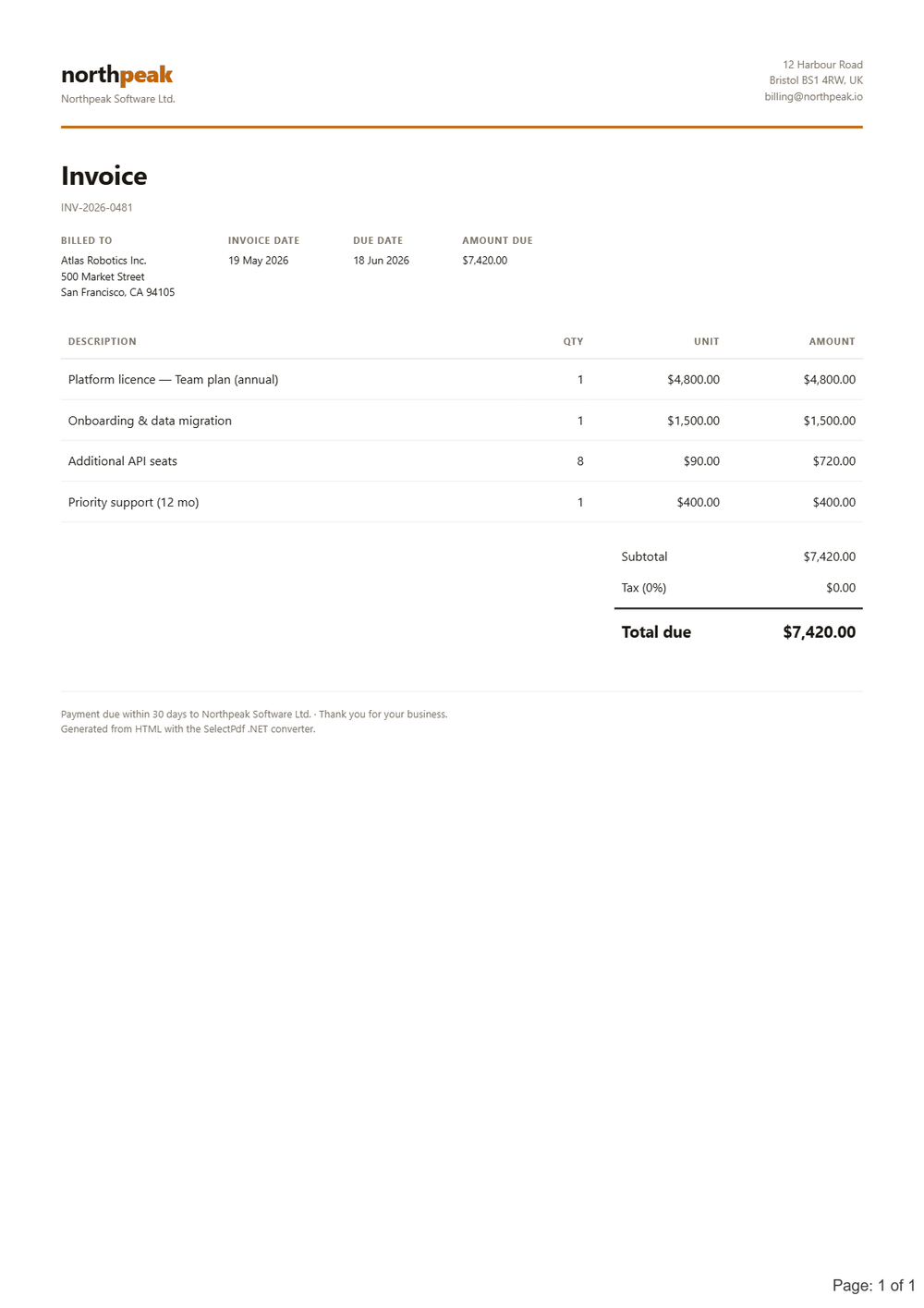
Invoice PDF generated from HTML by the SelectPdf HTML to PDF converter for .NET
Real PDF — generated from HTML by SelectPdf
ENGINES

Four rendering engines, one API.

Default WebKit The default engine. Runs on every framework from .NET Framework 2.0 onward.
Sandboxed WebKit Restricted A locked-down WebKit variant. Available on every supported framework.
Chromium Blink Modern Chromium rendering. Requires .NET Framework 4.6.1+, .NET Core or .NET 5–10.
Newest Chromium (CEF) The newest engine, added in v26.2 and now on Chromium 148. Runs from .NET Framework 2.0 onward.
Frameworks .NET 2.0+ → .NET 10 .NET Framework 2.0+/4.0+, .NET Core and .NET 5 through .NET 10.
Hosting Windows · Azure Windows x86 and x64; Azure Web Apps fully supported. No dependencies.
DEPLOYMENT

.NET converter or the REST API?

This converter runs in-process on Windows (x86 and x64), including Azure Web Apps — no service to host. Need Linux, macOS, a non-.NET language or zero install? The HTML to PDF API is the same engine over REST. Need merge, split, digital signatures or PDF forms as well? That is the full .NET PDF library — the converter is part of it. New here? See why SelectPdf is the best HTML to PDF converter for .NET.

LIVE DEMO · NO KEY REQUIRED

See it convert a real page.

Paste any URL into the live demo and get a real, watermarked PDF back — rendered by this exact engine. No signup, no key.

?FAQ

HTML to PDF conversion, answered.

More in the online documentation and the C# / VB.NET sample code — the rest is one email away.

Yes. The SelectPdf HTML to PDF converter converts any web page URL or any raw HTML string to PDF — call ConvertUrl for a URL or ConvertHtmlString for HTML, from C# or VB.NET.
Yes. The converter has full HTML5, CSS3, web-font and JavaScript support, plus @media screen and print. JavaScript can be enabled or disabled, and the conversion can be started manually from JavaScript.
Yes. Custom HTML headers and footers are supported, with different headers and footers for specific pages, automatic page numbering, and repeating HTML table headers on each page.
Yes. You can convert only a section of a web page to PDF, exclude specific HTML elements from the conversion, and map the position of HTML elements in the generated PDF.
Yes. The converter can convert multiple web pages into the same PDF document, with automatic or manual page breaks between them.
Yes. The .NET HTML to PDF converter and the SelectPdf Online API share the same rendering engine and produce the same output — pick the self-hosted .NET library on Windows (runs in-process inside your app), or the REST API for any language or OS.
The converter supports .NET Framework 2.0+ / 4.0+, .NET Core, and .NET 5 through .NET 10. It ships four engines — WebKit, WebKit Restricted, Blink and Chromium; WebKit, WebKit Restricted and Chromium run from .NET Framework 2.0 onward, while Blink requires .NET Framework 4.6.1 or later.
Yes. The .NET library trial is the full commercial converter with no feature or page limits — it only stamps a watermark on every page, so you can evaluate everything before buying. A separate free Community Edition is also available, functionally the full converter but capped at five pages per PDF. The commercial license is perpetual, from $499.