Create a ZUGFeRD / Factur-X invoice in C#
A ZUGFeRD or Factur-X invoice is a PDF/A-3 document that carries the invoice twice: the page a person reads, and the Cross Industry Invoice XML a machine reads. Convert the invoice page as PDF/A-3, call AddZugferdInvoice with the XML, its profile and its relationship to the page, and save.
Compiled and run: Linux ARM64 · Linux x64 · macOS ARM64 · Windows x64
Validated by veraPDF: PDF/A-3b · PDF/A-3a · PDF/UA-1
Build it step by step.
-
1Install the NuGet packages
SelectPdf.Universalis the library. The native package carries the Chromium engine for one platform: add the one for the platform you run on.dotnet add package SelectPdf.Universal dotnet add package SelectPdf.Universal.Native.win-x64
dotnet add package SelectPdf.Universal
dotnet add package SelectPdf.Universal.Native.linux-x64
dotnet add package SelectPdf.Universal
dotnet add package SelectPdf.Universal.Native.linux-arm64
dotnet add package SelectPdf.Universal
dotnet add package SelectPdf.Universal.Native.osx-arm64
-
2Create a console app
Any .NET 8 or .NET 10 project works. To follow along, create a console app, run the install commands above inside its folder, then replace
Program.cswith the code below.dotnet new console -n PdfSample cd PdfSample
-
3Write the visible invoice
string html = """
    <html lang="en">
    <head><title>Invoice 2026-001</title></head>
    <body>
      <h1>Invoice 2026-001</h1>
      <p>Contoso GmbH, Berlin, to Fabrikam GmbH, Munich. Issued on 13 October 2026.</p>
      <p>1 x Software license: 499.00 EUR. VAT 19%: 94.81 EUR. Total due: 593.81 EUR.</p>
    </body>
    </html>
    """;
Any HTML can be the visible invoice. In your application this is usually the invoice page rendered from a template, or a URL passed to
ConvertUrl. -
4Write the invoice XML
// the same invoice as Cross Industry Invoice XML (EN 16931 profile)
string xml = """
    <?xml version="1.0" encoding="UTF-8"?>
    <rsm:CrossIndustryInvoice xmlns:rsm="urn:un:unece:uncefact:data:standard:CrossIndustryInvoice:100" xmlns:ram="urn:un:unece:uncefact:data:standard:ReusableAggregateBusinessInformationEntity:100" xmlns:udt="urn:un:unece:uncefact:data:standard:UnqualifiedDataType:100">
      <rsm:ExchangedDocumentContext><ram:GuidelineSpecifiedDocumentContextParameter><ram:ID>urn:cen.eu:en16931:2017</ram:ID></ram:GuidelineSpecifiedDocumentContextParameter></rsm:ExchangedDocumentContext>
      <rsm:ExchangedDocument><ram:ID>2026-001</ram:ID><ram:TypeCode>380</ram:TypeCode><ram:IssueDateTime><udt:DateTimeString format="102">20261013</udt:DateTimeString></ram:IssueDateTime></rsm:ExchangedDocument>
      <rsm:SupplyChainTradeTransaction>
        <ram:IncludedSupplyChainTradeLineItem>
          <ram:AssociatedDocumentLineDocument><ram:LineID>1</ram:LineID></ram:AssociatedDocumentLineDocument>
          <ram:SpecifiedTradeProduct><ram:Name>Software license</ram:Name></ram:SpecifiedTradeProduct>
          <ram:SpecifiedLineTradeAgreement><ram:NetPriceProductTradePrice><ram:ChargeAmount>499.00</ram:ChargeAmount></ram:NetPriceProductTradePrice></ram:SpecifiedLineTradeAgreement>
          <ram:SpecifiedLineTradeDelivery><ram:BilledQuantity unitCode="C62">1</ram:BilledQuantity></ram:SpecifiedLineTradeDelivery>
          <ram:SpecifiedLineTradeSettlement>
            <ram:ApplicableTradeTax><ram:TypeCode>VAT</ram:TypeCode><ram:CategoryCode>S</ram:CategoryCode><ram:RateApplicablePercent>19</ram:RateApplicablePercent></ram:ApplicableTradeTax>
            <ram:SpecifiedTradeSettlementLineMonetarySummation><ram:LineTotalAmount>499.00</ram:LineTotalAmount></ram:SpecifiedTradeSettlementLineMonetarySummation>
          </ram:SpecifiedLineTradeSettlement>
        </ram:IncludedSupplyChainTradeLineItem>
        <ram:ApplicableHeaderTradeAgreement>
          <ram:SellerTradeParty><ram:Name>Contoso GmbH</ram:Name><ram:PostalTradeAddress><ram:CityName>Berlin</ram:CityName><ram:CountryID>DE</ram:CountryID></ram:PostalTradeAddress><ram:SpecifiedTaxRegistration><ram:ID schemeID="VA">DE123456789</ram:ID></ram:SpecifiedTaxRegistration></ram:SellerTradeParty>
          <ram:BuyerTradeParty><ram:Name>Fabrikam GmbH</ram:Name><ram:PostalTradeAddress><ram:CityName>Munich</ram:CityName><ram:CountryID>DE</ram:CountryID></ram:PostalTradeAddress></ram:BuyerTradeParty>
        </ram:ApplicableHeaderTradeAgreement>
        <ram:ApplicableHeaderTradeDelivery/>
        <ram:ApplicableHeaderTradeSettlement>
          <ram:InvoiceCurrencyCode>EUR</ram:InvoiceCurrencyCode>
          <ram:ApplicableTradeTax><ram:CalculatedAmount>94.81</ram:CalculatedAmount><ram:TypeCode>VAT</ram:TypeCode><ram:BasisAmount>499.00</ram:BasisAmount><ram:CategoryCode>S</ram:CategoryCode><ram:RateApplicablePercent>19</ram:RateApplicablePercent></ram:ApplicableTradeTax>
          <ram:SpecifiedTradePaymentTerms><ram:DueDateDateTime><udt:DateTimeString format="102">20261112</udt:DateTimeString></ram:DueDateDateTime></ram:SpecifiedTradePaymentTerms>
          <ram:SpecifiedTradeSettlementHeaderMonetarySummation><ram:LineTotalAmount>499.00</ram:LineTotalAmount><ram:TaxBasisTotalAmount>499.00</ram:TaxBasisTotalAmount><ram:TaxTotalAmount currencyID="EUR">94.81</ram:TaxTotalAmount><ram:GrandTotalAmount>593.81</ram:GrandTotalAmount><ram:DuePayableAmount>593.81</ram:DuePayableAmount></ram:SpecifiedTradeSettlementHeaderMonetarySummation>
        </ram:ApplicableHeaderTradeSettlement>
      </rsm:SupplyChainTradeTransaction>
    </rsm:CrossIndustryInvoice>
    """;
The same invoice as Cross Industry Invoice XML, here the EN 16931 profile: seller, buyer, one line, the VAT breakdown and the totals. SelectPdf does not generate or validate this XML; your application produces it, and it must match the visible invoice.
-
5Convert the page as PDF/A-3
HtmlToPdf converter = new HtmlToPdf();

// the carrier must be PDF/A-3
converter.Options.PdfStandard = PdfStandard.PdfA3B;
converter.Options.PdfDocumentInformation.Title = "Invoice 2026-001";

PdfDocument doc = converter.ConvertHtmlString(html);
Options.PdfStandard = PdfStandard.PdfA3Bproduces the PDF/A-3 carrier the invoice standards require.PdfA3UandPdfA3Aare accepted too. -
6Embed the XML
// embed the XML as factur-x.xml and mark the document as an electronic invoice using (MemoryStream invoiceXml = new MemoryStream(Encoding.UTF8.GetBytes(xml))) { doc.AddZugferdInvoice(invoiceXml, ZugferdProfile.En16931, PdfAttachmentRelationship.Alternative); }AddZugferdInvoiceembeds the XML as an associated file namedfactur-x.xmland writes the metadata that invoice software looks for, with the profile as the conformance level.Alternativesays the XML and the page carry the same invoice content. The stream is read at once, so it can be disposed as soon as the call returns. -
7Save
doc.Save("invoice-2026-001.pdf"); doc.Close();Savewritesinvoice-2026-001.pdfandClosereleases the document. -
8Run it
dotnet run
The program writes
invoice-2026-001.pdfto the working folder. Without a license key, every page carries a trial watermark; setGlobalProperties.LicenseKeybefore the first conversion to remove it.
The complete Program.cs.
This is the exact file our samples pipeline compiled and ran on Linux ARM64 and Linux x64 and macOS ARM64 and Windows x64 to produce the output on this page.
using System.Text;
using SelectPdf.Universal;

string html = """
    <html lang="en">
    <head><title>Invoice 2026-001</title></head>
    <body>
      <h1>Invoice 2026-001</h1>
      <p>Contoso GmbH, Berlin, to Fabrikam GmbH, Munich. Issued on 13 October 2026.</p>
      <p>1 x Software license: 499.00 EUR. VAT 19%: 94.81 EUR. Total due: 593.81 EUR.</p>
    </body>
    </html>
    """;

// the same invoice as Cross Industry Invoice XML (EN 16931 profile)
string xml = """
    <?xml version="1.0" encoding="UTF-8"?>
    <rsm:CrossIndustryInvoice xmlns:rsm="urn:un:unece:uncefact:data:standard:CrossIndustryInvoice:100" xmlns:ram="urn:un:unece:uncefact:data:standard:ReusableAggregateBusinessInformationEntity:100" xmlns:udt="urn:un:unece:uncefact:data:standard:UnqualifiedDataType:100">
      <rsm:ExchangedDocumentContext><ram:GuidelineSpecifiedDocumentContextParameter><ram:ID>urn:cen.eu:en16931:2017</ram:ID></ram:GuidelineSpecifiedDocumentContextParameter></rsm:ExchangedDocumentContext>
      <rsm:ExchangedDocument><ram:ID>2026-001</ram:ID><ram:TypeCode>380</ram:TypeCode><ram:IssueDateTime><udt:DateTimeString format="102">20261013</udt:DateTimeString></ram:IssueDateTime></rsm:ExchangedDocument>
      <rsm:SupplyChainTradeTransaction>
        <ram:IncludedSupplyChainTradeLineItem>
          <ram:AssociatedDocumentLineDocument><ram:LineID>1</ram:LineID></ram:AssociatedDocumentLineDocument>
          <ram:SpecifiedTradeProduct><ram:Name>Software license</ram:Name></ram:SpecifiedTradeProduct>
          <ram:SpecifiedLineTradeAgreement><ram:NetPriceProductTradePrice><ram:ChargeAmount>499.00</ram:ChargeAmount></ram:NetPriceProductTradePrice></ram:SpecifiedLineTradeAgreement>
          <ram:SpecifiedLineTradeDelivery><ram:BilledQuantity unitCode="C62">1</ram:BilledQuantity></ram:SpecifiedLineTradeDelivery>
          <ram:SpecifiedLineTradeSettlement>
            <ram:ApplicableTradeTax><ram:TypeCode>VAT</ram:TypeCode><ram:CategoryCode>S</ram:CategoryCode><ram:RateApplicablePercent>19</ram:RateApplicablePercent></ram:ApplicableTradeTax>
            <ram:SpecifiedTradeSettlementLineMonetarySummation><ram:LineTotalAmount>499.00</ram:LineTotalAmount></ram:SpecifiedTradeSettlementLineMonetarySummation>
          </ram:SpecifiedLineTradeSettlement>
        </ram:IncludedSupplyChainTradeLineItem>
        <ram:ApplicableHeaderTradeAgreement>
          <ram:SellerTradeParty><ram:Name>Contoso GmbH</ram:Name><ram:PostalTradeAddress><ram:CityName>Berlin</ram:CityName><ram:CountryID>DE</ram:CountryID></ram:PostalTradeAddress><ram:SpecifiedTaxRegistration><ram:ID schemeID="VA">DE123456789</ram:ID></ram:SpecifiedTaxRegistration></ram:SellerTradeParty>
          <ram:BuyerTradeParty><ram:Name>Fabrikam GmbH</ram:Name><ram:PostalTradeAddress><ram:CityName>Munich</ram:CityName><ram:CountryID>DE</ram:CountryID></ram:PostalTradeAddress></ram:BuyerTradeParty>
        </ram:ApplicableHeaderTradeAgreement>
        <ram:ApplicableHeaderTradeDelivery/>
        <ram:ApplicableHeaderTradeSettlement>
          <ram:InvoiceCurrencyCode>EUR</ram:InvoiceCurrencyCode>
          <ram:ApplicableTradeTax><ram:CalculatedAmount>94.81</ram:CalculatedAmount><ram:TypeCode>VAT</ram:TypeCode><ram:BasisAmount>499.00</ram:BasisAmount><ram:CategoryCode>S</ram:CategoryCode><ram:RateApplicablePercent>19</ram:RateApplicablePercent></ram:ApplicableTradeTax>
          <ram:SpecifiedTradePaymentTerms><ram:DueDateDateTime><udt:DateTimeString format="102">20261112</udt:DateTimeString></ram:DueDateDateTime></ram:SpecifiedTradePaymentTerms>
          <ram:SpecifiedTradeSettlementHeaderMonetarySummation><ram:LineTotalAmount>499.00</ram:LineTotalAmount><ram:TaxBasisTotalAmount>499.00</ram:TaxBasisTotalAmount><ram:TaxTotalAmount currencyID="EUR">94.81</ram:TaxTotalAmount><ram:GrandTotalAmount>593.81</ram:GrandTotalAmount><ram:DuePayableAmount>593.81</ram:DuePayableAmount></ram:SpecifiedTradeSettlementHeaderMonetarySummation>
        </ram:ApplicableHeaderTradeSettlement>
      </rsm:SupplyChainTradeTransaction>
    </rsm:CrossIndustryInvoice>
    """;

HtmlToPdf converter = new HtmlToPdf();

// the carrier must be PDF/A-3
converter.Options.PdfStandard = PdfStandard.PdfA3B;
converter.Options.PdfDocumentInformation.Title = "Invoice 2026-001";

PdfDocument doc = converter.ConvertHtmlString(html);

// embed the XML as factur-x.xml and mark the document as an electronic invoice
using (MemoryStream invoiceXml = new MemoryStream(Encoding.UTF8.GetBytes(xml)))
{
    doc.AddZugferdInvoice(invoiceXml, ZugferdProfile.En16931,
        PdfAttachmentRelationship.Alternative);
}

doc.Save("invoice-2026-001.pdf");
doc.Close();
Open the project on GitHub → this program and the variations below, ready to dotnet run
The PDF it produces.
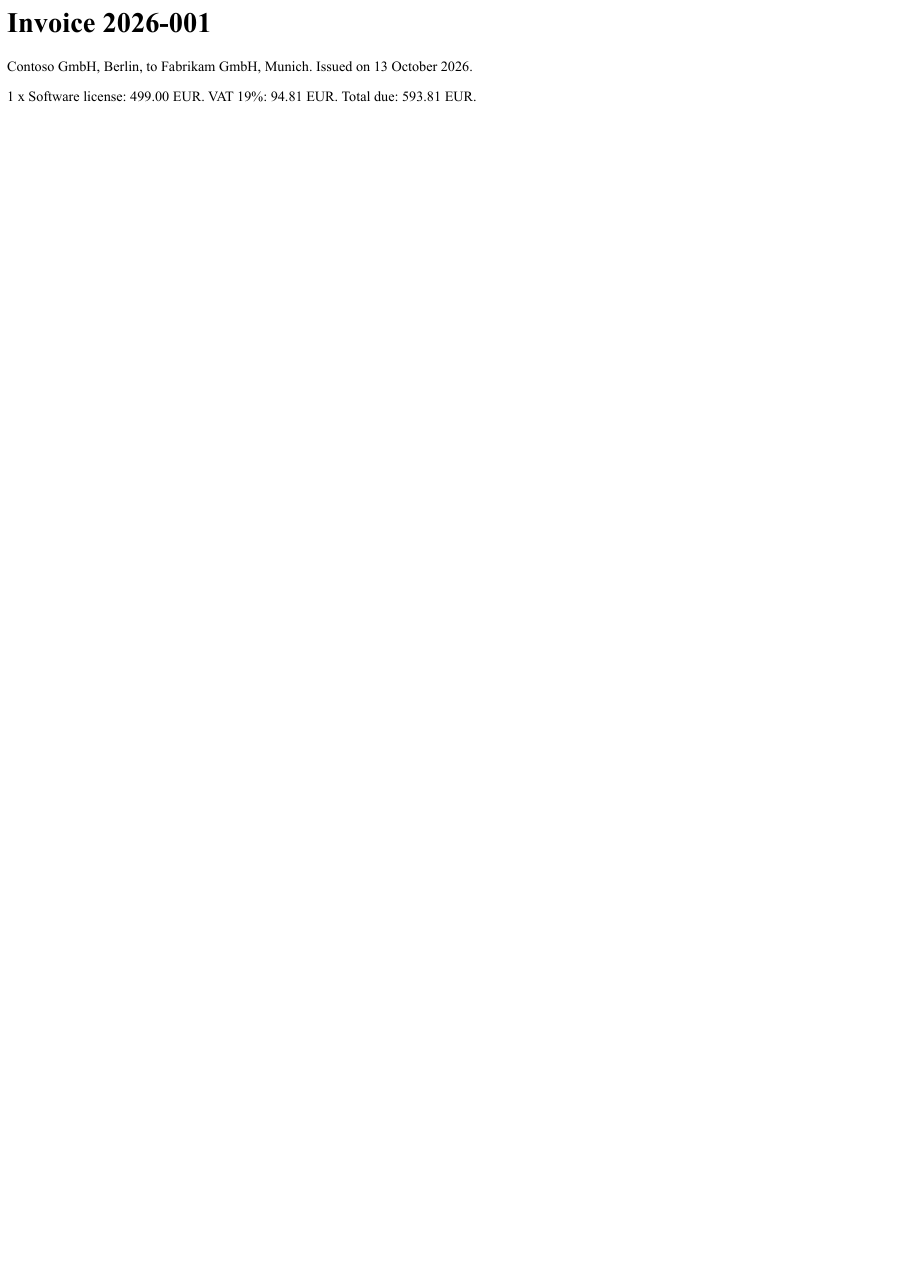
Download invoice-2026-001.pdf ↓ the file this sample produced, unedited
Variations you will need next.
Each variation is a separate file in the same project, compiled and run with the program above.
Turn an existing PDF invoice into a hybrid invoice
An invoice that already exists as a PDF is loaded, converted to PDF/A-3 with ConvertToPdfA(PdfStandard.PdfA3B), and then given its XML. The overload that takes a path reads the XML file at once; only its content is used, and the file is embedded as factur-x.xml whatever it is called on disk. MINIMUM is accounting information only, not a complete invoice, so the relationship is Data.
using SelectPdf.Universal;

static class ExistingPdf
{
    public static void Run()
    {
        // an invoice that already exists as a PDF, and its XML (MINIMUM profile) as a file
        PdfDocument original = new HtmlToPdf().ConvertHtmlString(
            "<h1>Invoice 2026-002</h1><p>Contoso GmbH to Fabrikam GmbH. Total due: 119.00 EUR.</p>");
        original.Save("invoice-2026-002.pdf");
        original.Close();

        File.WriteAllText("invoice-2026-002.xml", """
            <?xml version="1.0" encoding="UTF-8"?>
            <rsm:CrossIndustryInvoice xmlns:rsm="urn:un:unece:uncefact:data:standard:CrossIndustryInvoice:100" xmlns:ram="urn:un:unece:uncefact:data:standard:ReusableAggregateBusinessInformationEntity:100" xmlns:udt="urn:un:unece:uncefact:data:standard:UnqualifiedDataType:100">
              <rsm:ExchangedDocumentContext><ram:GuidelineSpecifiedDocumentContextParameter><ram:ID>urn:factur-x.eu:1p0:minimum</ram:ID></ram:GuidelineSpecifiedDocumentContextParameter></rsm:ExchangedDocumentContext>
              <rsm:ExchangedDocument><ram:ID>2026-002</ram:ID><ram:TypeCode>380</ram:TypeCode><ram:IssueDateTime><udt:DateTimeString format="102">20261013</udt:DateTimeString></ram:IssueDateTime></rsm:ExchangedDocument>
              <rsm:SupplyChainTradeTransaction>
                <ram:ApplicableHeaderTradeAgreement>
                  <ram:SellerTradeParty><ram:Name>Contoso GmbH</ram:Name><ram:PostalTradeAddress><ram:CountryID>DE</ram:CountryID></ram:PostalTradeAddress><ram:SpecifiedTaxRegistration><ram:ID schemeID="VA">DE123456789</ram:ID></ram:SpecifiedTaxRegistration></ram:SellerTradeParty>
                  <ram:BuyerTradeParty><ram:Name>Fabrikam GmbH</ram:Name></ram:BuyerTradeParty>
                </ram:ApplicableHeaderTradeAgreement>
                <ram:ApplicableHeaderTradeDelivery/>
                <ram:ApplicableHeaderTradeSettlement>
                  <ram:InvoiceCurrencyCode>EUR</ram:InvoiceCurrencyCode>
                  <ram:SpecifiedTradeSettlementHeaderMonetarySummation><ram:TaxBasisTotalAmount>100.00</ram:TaxBasisTotalAmount><ram:TaxTotalAmount currencyID="EUR">19.00</ram:TaxTotalAmount><ram:GrandTotalAmount>119.00</ram:GrandTotalAmount><ram:DuePayableAmount>119.00</ram:DuePayableAmount></ram:SpecifiedTradeSettlementHeaderMonetarySummation>
                </ram:ApplicableHeaderTradeSettlement>
              </rsm:SupplyChainTradeTransaction>
            </rsm:CrossIndustryInvoice>
            """);

        // load the PDF and make it PDF/A-3
        PdfDocument doc = new PdfDocument("invoice-2026-002.pdf");
        doc.ConvertToPdfA(PdfStandard.PdfA3B);

        // MINIMUM is not a complete invoice: the page carries more than the XML (Data)
        doc.AddZugferdInvoice("invoice-2026-002.xml", ZugferdProfile.Minimum,
            PdfAttachmentRelationship.Data);

        doc.Save("invoice-2026-002-hybrid.pdf");
        doc.Close();
    }
}
An accessible PDF/A-3A invoice
PdfStandard.PdfA3A together with AccessibilityStandard makes the visible invoice accessible as well, which the invoice standards recommend. The XML here uses the BASIC WL profile, header and totals without invoice lines, so the page carries more than the XML and the relationship is Data. The file passes veraPDF with both the PDF/A-3a and the PDF/UA-1 profiles.
using System.Text;
using SelectPdf.Universal;

static class AccessibleInvoice
{
    public static void Run()
    {
        string html = """
            <html lang="en">
            <head><title>Invoice 2026-003</title></head>
            <body>
              <h1>Invoice 2026-003</h1>
              <p>Contoso GmbH to Fabrikam GmbH. Net 200.00 EUR, VAT 19% 38.00 EUR, total due 238.00 EUR.</p>
            </body>
            </html>
            """;

        // BASIC WL: header and totals, without invoice lines
        string xml = """
            <?xml version="1.0" encoding="UTF-8"?>
            <rsm:CrossIndustryInvoice xmlns:rsm="urn:un:unece:uncefact:data:standard:CrossIndustryInvoice:100" xmlns:ram="urn:un:unece:uncefact:data:standard:ReusableAggregateBusinessInformationEntity:100" xmlns:udt="urn:un:unece:uncefact:data:standard:UnqualifiedDataType:100">
              <rsm:ExchangedDocumentContext><ram:GuidelineSpecifiedDocumentContextParameter><ram:ID>urn:factur-x.eu:1p0:basicwl</ram:ID></ram:GuidelineSpecifiedDocumentContextParameter></rsm:ExchangedDocumentContext>
              <rsm:ExchangedDocument><ram:ID>2026-003</ram:ID><ram:TypeCode>380</ram:TypeCode><ram:IssueDateTime><udt:DateTimeString format="102">20261013</udt:DateTimeString></ram:IssueDateTime></rsm:ExchangedDocument>
              <rsm:SupplyChainTradeTransaction>
                <ram:ApplicableHeaderTradeAgreement>
                  <ram:SellerTradeParty><ram:Name>Contoso GmbH</ram:Name><ram:PostalTradeAddress><ram:CityName>Berlin</ram:CityName><ram:CountryID>DE</ram:CountryID></ram:PostalTradeAddress><ram:SpecifiedTaxRegistration><ram:ID schemeID="VA">DE123456789</ram:ID></ram:SpecifiedTaxRegistration></ram:SellerTradeParty>
                  <ram:BuyerTradeParty><ram:Name>Fabrikam GmbH</ram:Name><ram:PostalTradeAddress><ram:CityName>Munich</ram:CityName><ram:CountryID>DE</ram:CountryID></ram:PostalTradeAddress></ram:BuyerTradeParty>
                </ram:ApplicableHeaderTradeAgreement>
                <ram:ApplicableHeaderTradeDelivery/>
                <ram:ApplicableHeaderTradeSettlement>
                  <ram:InvoiceCurrencyCode>EUR</ram:InvoiceCurrencyCode>
                  <ram:ApplicableTradeTax><ram:CalculatedAmount>38.00</ram:CalculatedAmount><ram:TypeCode>VAT</ram:TypeCode><ram:BasisAmount>200.00</ram:BasisAmount><ram:CategoryCode>S</ram:CategoryCode><ram:RateApplicablePercent>19</ram:RateApplicablePercent></ram:ApplicableTradeTax>
                  <ram:SpecifiedTradeSettlementHeaderMonetarySummation><ram:LineTotalAmount>200.00</ram:LineTotalAmount><ram:TaxBasisTotalAmount>200.00</ram:TaxBasisTotalAmount><ram:TaxTotalAmount currencyID="EUR">38.00</ram:TaxTotalAmount><ram:GrandTotalAmount>238.00</ram:GrandTotalAmount><ram:DuePayableAmount>238.00</ram:DuePayableAmount></ram:SpecifiedTradeSettlementHeaderMonetarySummation>
                </ram:ApplicableHeaderTradeSettlement>
              </rsm:SupplyChainTradeTransaction>
            </rsm:CrossIndustryInvoice>
            """;

        HtmlToPdf converter = new HtmlToPdf();

        // PDF/A-3A with PDF/UA-1: the visible invoice is also accessible
        converter.Options.PdfStandard = PdfStandard.PdfA3A;
        converter.Options.AccessibilityStandard = PdfUAStandard.UA1;
        converter.Options.Title = "Invoice 2026-003";
        converter.Options.Language = "en-US";

        PdfDocument doc = converter.ConvertHtmlString(html);

        // BASIC WL has no lines, so the page carries more than the XML (Data)
        using (MemoryStream invoiceXml = new MemoryStream(Encoding.UTF8.GetBytes(xml)))
        {
            doc.AddZugferdInvoice(invoiceXml, ZugferdProfile.BasicWL,
                PdfAttachmentRelationship.Data);
        }

        doc.Save("invoice-2026-003-pdfa3a.pdf");
        doc.Close();
    }
}
The deprecated ZUGFeRD 2.0 metadata
By default the invoice is identified with the current Factur-X 1.0 metadata schema (ZugferdSchema.FacturX10). The overload with a ZugferdSchema writes the older ZUGFeRD 2.0 schema instead, and the embedded file is then named zugferd-invoice.xml. Use it only when a recipient asks for it.
using System.Text;
using SelectPdf.Universal;

static class Zugferd20Metadata
{
    public static void Run()
    {
        // MINIMUM profile, identified with the ZUGFeRD 2.0 guideline
        string xml = """
            <?xml version="1.0" encoding="UTF-8"?>
            <rsm:CrossIndustryInvoice xmlns:rsm="urn:un:unece:uncefact:data:standard:CrossIndustryInvoice:100" xmlns:ram="urn:un:unece:uncefact:data:standard:ReusableAggregateBusinessInformationEntity:100" xmlns:udt="urn:un:unece:uncefact:data:standard:UnqualifiedDataType:100">
              <rsm:ExchangedDocumentContext><ram:GuidelineSpecifiedDocumentContextParameter><ram:ID>urn:zugferd.de:2p0:minimum</ram:ID></ram:GuidelineSpecifiedDocumentContextParameter></rsm:ExchangedDocumentContext>
              <rsm:ExchangedDocument><ram:ID>2026-004</ram:ID><ram:TypeCode>380</ram:TypeCode><ram:IssueDateTime><udt:DateTimeString format="102">20261013</udt:DateTimeString></ram:IssueDateTime></rsm:ExchangedDocument>
              <rsm:SupplyChainTradeTransaction>
                <ram:ApplicableHeaderTradeAgreement>
                  <ram:SellerTradeParty><ram:Name>Contoso GmbH</ram:Name><ram:PostalTradeAddress><ram:CountryID>DE</ram:CountryID></ram:PostalTradeAddress><ram:SpecifiedTaxRegistration><ram:ID schemeID="VA">DE123456789</ram:ID></ram:SpecifiedTaxRegistration></ram:SellerTradeParty>
                  <ram:BuyerTradeParty><ram:Name>Fabrikam GmbH</ram:Name></ram:BuyerTradeParty>
                </ram:ApplicableHeaderTradeAgreement>
                <ram:ApplicableHeaderTradeDelivery/>
                <ram:ApplicableHeaderTradeSettlement>
                  <ram:InvoiceCurrencyCode>EUR</ram:InvoiceCurrencyCode>
                  <ram:SpecifiedTradeSettlementHeaderMonetarySummation><ram:TaxBasisTotalAmount>50.00</ram:TaxBasisTotalAmount><ram:TaxTotalAmount currencyID="EUR">9.50</ram:TaxTotalAmount><ram:GrandTotalAmount>59.50</ram:GrandTotalAmount><ram:DuePayableAmount>59.50</ram:DuePayableAmount></ram:SpecifiedTradeSettlementHeaderMonetarySummation>
                </ram:ApplicableHeaderTradeSettlement>
              </rsm:SupplyChainTradeTransaction>
            </rsm:CrossIndustryInvoice>
            """;

        HtmlToPdf converter = new HtmlToPdf();
        converter.Options.PdfStandard = PdfStandard.PdfA3B;
        PdfDocument doc = converter.ConvertHtmlString(
            "<h1>Invoice 2026-004</h1><p>Contoso GmbH to Fabrikam GmbH. Total due: 59.50 EUR.</p>");

        // the deprecated ZUGFeRD 2.0 metadata: the file is named zugferd-invoice.xml
        using (MemoryStream invoiceXml = new MemoryStream(Encoding.UTF8.GetBytes(xml)))
        {
            doc.AddZugferdInvoice(invoiceXml, ZugferdProfile.Minimum,
                PdfAttachmentRelationship.Data, ZugferdSchema.Zugferd20);
        }

        doc.Save("invoice-2026-004-zugferd20.pdf");
        doc.Close();
    }
}
Common problems and fixes.
AddZugferdInvoice throws: requires a PDF/A-3 document
The carrier must be PDF/A-3. Set Options.PdfStandard to PdfA3B, PdfA3U or PdfA3A before converting, or convert an existing document with ConvertToPdfA(PdfStandard.PdfA3B) first.
The embedded file has a different name than mine
The standards fix the name and recipients look it up by name, so it is derived from the profile and the schema: factur-x.xml, xrechnung.xml for the XRechnung profile, or zugferd-invoice.xml with ZugferdSchema.Zugferd20. The name of your file on disk is not used.
Invoice software rejects the XML
SelectPdf embeds the XML as you supply it and does not validate it. Check the XML with a validator for the profile you use, and make sure the profile you pass to AddZugferdInvoice describes it, since it is recorded as the conformance level.
Which relationship to pass
Use Alternative when the XML and the page carry the same invoice content (mandatory in Germany for BASIC, EN 16931, EXTENDED and XRECHNUNG), Data when the page carries more than the XML (always the case for MINIMUM and BASIC WL), and Source when the page was generated from the XML.
Good to know.
- ZUGFeRD (Germany) and Factur-X (France) are the same hybrid invoice standard under two names. Source
- The carrier must be a PDF/A-3 document (PdfA3B, PdfA3U or PdfA3A); a document that is not PDF/A-3 is refused with a message naming the fix. Source
- The name of the embedded file comes from the profile and the schema, not from you: factur-x.xml, xrechnung.xml for the XRechnung profile, or zugferd-invoice.xml with the ZUGFeRD 2.0 metadata. Source
- SelectPdf embeds and identifies the invoice XML you supply; producing that XML and making sure it matches the visible invoice is your application's job. Source
- Electronic invoices are available only in the full commercial SelectPdf library, not in the free Community Edition. Source
Questions, answered.
Short answers about this guide. The SelectPdf.Universal documentation covers every class and option.