Convert HTML to PDF/A for archiving in C#
Set PdfStandard on the converter options to a PDF/A level, fill in the document metadata and convert: the PDF is written to that archival standard, with every font embedded and the metadata the standard requires.
Compiled and run: Linux ARM64 · Linux x64 · macOS ARM64 · Windows x64
Validated by veraPDF: PDF/A-2b · PDF/A-1b · PDF/A-3b
Build it step by step.
-
1Install the NuGet packages
SelectPdf.Universalis the library. The native package carries the Chromium engine for one platform: add the one for the platform you run on.dotnet add package SelectPdf.Universal dotnet add package SelectPdf.Universal.Native.win-x64
dotnet add package SelectPdf.Universal
dotnet add package SelectPdf.Universal.Native.linux-x64
dotnet add package SelectPdf.Universal
dotnet add package SelectPdf.Universal.Native.linux-arm64
dotnet add package SelectPdf.Universal
dotnet add package SelectPdf.Universal.Native.osx-arm64
-
2Create a console app
Any .NET 8 or .NET 10 project works. To follow along, create a console app, run the install commands above inside its folder, then replace
Program.cswith the code below.dotnet new console -n PdfSample cd PdfSample
-
3Write the HTML
string html = """
    <html lang="en">
    <head><title>Contract 2026-117</title></head>
    <body>
      <h1>Service contract 2026-117</h1>
      <p>Signed on 13 October 2026 between Contoso Ltd. and Fabrikam Inc.</p>
      <p>This copy is kept for the full retention period.</p>
    </body>
    </html>
    """;
Any HTML converts to PDF/A. In your application this is usually a page rendered from a template, or a URL passed to
ConvertUrl. -
4Choose the PDF/A level
HtmlToPdf converter = new HtmlToPdf();

// PDF/A-2b: archival output, with every font embedded
converter.Options.PdfStandard = PdfStandard.PdfA2B;
Options.PdfStandard = PdfStandard.PdfA2Bwrites the document as PDF/A-2b. The default,PdfStandard.Full, is a standard PDF with no conformance constraints. -
5Set the document metadata
// document metadata, written into the archived file
converter.Options.PdfDocumentInformation.Title = "Service contract 2026-117";
converter.Options.PdfDocumentInformation.Author = "Contracts department";
converter.Options.PdfDocumentInformation.Subject = "Signed service contract";
Options.PdfDocumentInformationsets the title, author and subject recorded in the generated document, so the archived file describes itself. -
6Convert and save
PdfDocument doc = converter.ConvertHtmlString(html); doc.Save("contract-pdfa2b.pdf"); doc.Close();ConvertHtmlStringreturns the PDF/A document;Savewritescontract-pdfa2b.pdfandClosereleases it. -
7Run it
dotnet run
The program writes
contract-pdfa2b.pdfto the working folder. Without a license key, every page carries a trial watermark; setGlobalProperties.LicenseKeybefore the first conversion to remove it.
The complete Program.cs.
This is the exact file our samples pipeline compiled and ran on Linux ARM64 and Linux x64 and macOS ARM64 and Windows x64 to produce the output on this page.
using SelectPdf.Universal;

string html = """
    <html lang="en">
    <head><title>Contract 2026-117</title></head>
    <body>
      <h1>Service contract 2026-117</h1>
      <p>Signed on 13 October 2026 between Contoso Ltd. and Fabrikam Inc.</p>
      <p>This copy is kept for the full retention period.</p>
    </body>
    </html>
    """;

HtmlToPdf converter = new HtmlToPdf();

// PDF/A-2b: archival output, with every font embedded
converter.Options.PdfStandard = PdfStandard.PdfA2B;

// document metadata, written into the archived file
converter.Options.PdfDocumentInformation.Title = "Service contract 2026-117";
converter.Options.PdfDocumentInformation.Author = "Contracts department";
converter.Options.PdfDocumentInformation.Subject = "Signed service contract";

PdfDocument doc = converter.ConvertHtmlString(html);
doc.Save("contract-pdfa2b.pdf");
doc.Close();
Open the project on GitHub → this program and the variations below, ready to dotnet run
The PDF it produces.
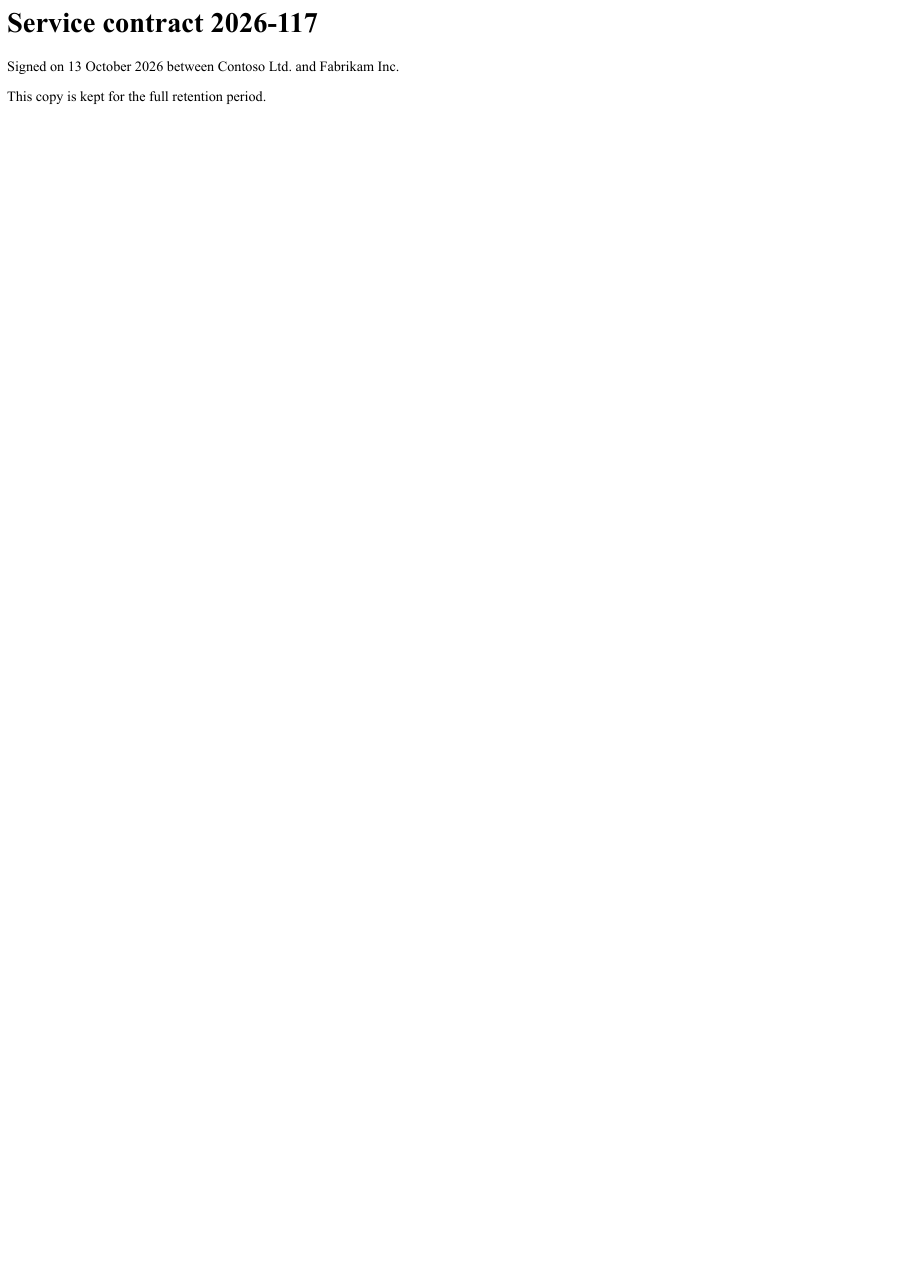
Download contract-pdfa2b.pdf ↓ the file this sample produced, unedited
Variations you will need next.
Each variation is a separate file in the same project, compiled and run with the program above.
PDF/A-1b for archives that require the first part
PdfStandard.PdfA is PDF/A-1b. Use it when an archive or a regulation asks for PDF/A-1 specifically. PDF/A-1b does not combine with PDF/UA: producing it rebuilds the document in a way that does not keep its logical structure. For an accessible PDF/A-1 file, use PDF/A-1a (PdfStandard.PdfA1A), which keeps it.
using SelectPdf.Universal;

static class PdfA1b
{
    public static void Run()
    {
        HtmlToPdf converter = new HtmlToPdf();

        // PdfStandard.PdfA is PDF/A-1b, for archives that accept only the first part
        converter.Options.PdfStandard = PdfStandard.PdfA;
        converter.Options.PdfDocumentInformation.Title = "Statement 2026-09";

        PdfDocument doc = converter.ConvertHtmlString(
            "<h1>Statement 2026-09</h1><p>Closing balance: 4,250.00</p>");
        doc.Save("statement-pdfa1b.pdf");
        doc.Close();
    }
}
PDF/A-3b with the source data embedded
PDF/A-3 is the level that may carry embedded files. AddAssociatedFile embeds a stream (or a file from disk) as an associated file, with a PdfAttachmentRelationship that says how it relates to the pages: here Source, the data the report was built from. Associated files are listed in the document's /AF array when a PDF/A-3 document is saved.
using System.Text;
using SelectPdf.Universal;

static class PdfA3bWithSource
{
    public static void Run()
    {
        string csv = "Region,Revenue\nEurope,1200000\nAmericas,900000\n";

        HtmlToPdf converter = new HtmlToPdf();

        // PDF/A-3 is the level that may carry embedded files
        converter.Options.PdfStandard = PdfStandard.PdfA3B;
        converter.Options.PdfDocumentInformation.Title = "Revenue by region";

        PdfDocument doc = converter.ConvertHtmlString(
            "<h1>Revenue by region</h1><p>Europe: 1,200,000<br>Americas: 900,000</p>");

        // embed the data the report was built from, as an associated file
        using (MemoryStream data = new MemoryStream(Encoding.UTF8.GetBytes(csv)))
        {
            doc.AddAssociatedFile(data, "revenue.csv", PdfAttachmentRelationship.Source,
                "text/csv", "Revenue data");
            doc.Save("revenue-pdfa3b.pdf");
        }

        doc.Close();
    }
}
Merge converted pages into a PDF/A document
new PdfDocument(PdfStandard.PdfA2B) creates an empty document that declares PDF/A-2b, and Append adds the converted pages to it. A PDF/A target takes pages only from documents of the same PDF/A part with at least the same conformance, so the sources are converted as PDF/A-2b too. Close the sources after the merged document is saved.
using SelectPdf.Universal;

static class MergeIntoPdfA
{
    public static void Run()
    {
        HtmlToPdf converter = new HtmlToPdf();
        converter.Options.PdfStandard = PdfStandard.PdfA2B;

        PdfDocument cover = converter.ConvertHtmlString("<h1>Case file 2026-31</h1>");
        PdfDocument body = converter.ConvertHtmlString("<h2>Correspondence</h2><p>Letter of 2 October 2026.</p>");

        // the target declares PDF/A-2b and accepts only PDF/A-2 sources
        PdfDocument archive = new PdfDocument(PdfStandard.PdfA2B);
        archive.Append(cover);
        archive.Append(body);
        archive.Save("case-file-pdfa2b.pdf");

        archive.Close();
        cover.Close();
        body.Close();
    }
}
Common problems and fixes.
Append throws when merging into a PDF/A document
A PDF/A target accepts only sources of the same PDF/A part with at least the same conformance. A source that claims no PDF/A conformance, or another part, is refused. Convert the sources at the target's level, or create the target with new PdfDocument() if it does not need to be PDF/A.
An error names an unsupported feature
PDF/A does not permit sound, movie and screen annotations, or link actions that launch a file or run JavaScript. Remove the feature from the document, or produce it without PdfStandard.
Saving a PDF/A document with a password fails
Passwords on PDF/A documents are refused when saving, because the standard does not allow encryption. Archive the file unencrypted, or use a standard PDF if it must be protected.
The PDF already exists
A loaded document can be converted with ConvertToPdfA(PdfStandard.PdfA2B) (or PdfA or PdfA3B) and then saved. Fonts the file uses but does not carry are embedded during the conversion.
Good to know.
- The PdfStandard enumeration selects the archiving standard: PDF/A-1 at levels B and A, PDF/A-2 and PDF/A-3 at levels B, U and A, and PDF/A-4 with its 4E and 4F variants. Source
- PDF/A documents require every font to be embedded. Source
- PDF/A-3 is the level that may carry embedded files, which is what hybrid electronic invoices are built on. Source
- PDF/A does not permit sound, movie and screen annotations, or link actions that launch an external file or run JavaScript; adding one raises an error that names the feature instead of producing a non-conformant file. Source
- A document created with a PDF/A standard takes pages only from documents of the same PDF/A part with at least the same conformance. Source
Questions, answered.
Short answers about this guide. The SelectPdf.Universal documentation covers every class and option.