 We’ve just rolled out a wave of improvements to the SelectPdf HTML to PDF Online REST API — a faster modern rendering engine, a no-signup demo endpoint, smarter response metadata, and refreshed client libraries on every supported language. Here is the short tour.
A brand new rendering engine: Chromium
The big headliner is the new Chromium rendering engine. It joins the existing WebKit, Restricted, and Blink engines, and it is built on the same modern Chromium / CEF runtime that powers Google Chrome. In practice that means:
- Better support for modern CSS, flexbox / grid layouts, web fonts, and the latest JavaScript.
- Faster rendering on complex pages — in our internal tests Chromium was the fastest engine on a 15-page Wikipedia article.
- Sensible defaults out of the box: most pages just look right without any tweaks.
Switching to Chromium is a one-line change — just set engine=Chromium on your request. The other engines stay available for backwards compatibility, so existing integrations keep working unchanged.
Full parameter reference: HTML to PDF Online REST API.
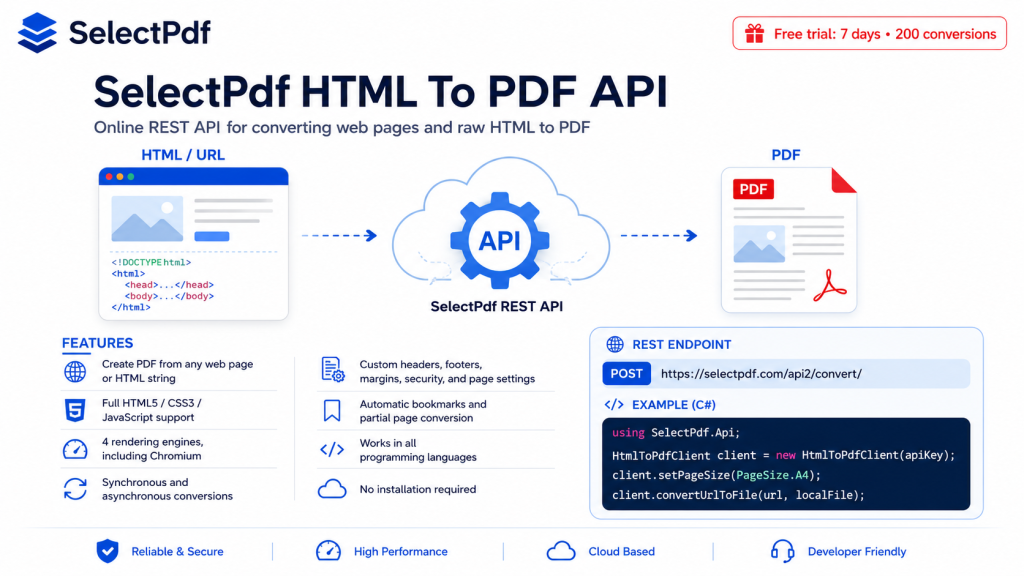
Try the API without signing up — the new Demo endpoint
We added a public, keyless demo endpoint so you can try the API straight from your terminal, an MCP server, or a quick script — no license key, no signup, no waiting for a trial email.
Just POST a URL or some HTML to https://selectpdf.com/api2/convert/demo/ and you get back a watermarked PDF (capped at 5 pages). It is the same conversion engine, the same parameter surface, just with sensible abuse-prevention guardrails so it can stay open to everyone.
Once you outgrow the demo, request a free trial license key and switch to the regular /api2/convert/ endpoint — same code, just add your key.
See your credits without an extra round-trip
Every successful conversion response now carries your live credits status in its headers:
X-SelectPdf-Credits-Remaining— how many conversions you have left this month.X-SelectPdf-Credits-Total— your monthly limit.X-SelectPdf-Pages— how many pages this conversion produced.X-SelectPdf-Mode/X-SelectPdf-Execution— handy diagnostics that tell you exactly what served your request.
No more separate “how many credits do I have?” call before each batch — the answer is already in the response you just received. The existing lowercase selectpdf-api* headers are still emitted alongside, so older integrations keep working.
Async conversions, made easier
For long pages or batches that don’t fit a single short-lived HTTP request, our async flow is now properly documented and supported by all client libraries. Set async=true, get a job id back, and poll /api2/asyncjob/ when you are ready.
The new WebElements feature builds on top of that: ask the API to remember the on-page coordinates of one or more HTML elements (by CSS selector), and you get back the exact PDF bounding boxes after the conversion finishes. Perfect for downstream form-filling, electronic signing, or overlaying annotations on top of the generated PDF.
And it is not just HTML to PDF
The HTML to PDF endpoint shares the same SelectPdf platform with two sibling REST APIs, and both of them get the same response-header improvements (credits visibility, mode / execution telemetry, async job polling) automatically:
- PDF Merge API — combine two or more PDFs into a single document, either by uploading files or pointing at public URLs. Password-protected inputs are supported, and you can set the merged document’s title, author, viewer preferences, and even a password. Full reference: PDF Merge Online REST API.
- PDF to Text API — extract the text content of a PDF (plain text or HTML output) or search a PDF for a specific term and get back the page numbers and positions of every match. Supports page ranges, password-protected PDFs, and case-sensitive / whole-word search. Full reference: PDF to Text Online REST API.
If you are already a SelectPdf customer, both APIs use the same license key as HTML to PDF, count against the same monthly credit pool, and are exposed by the same .NET client library — just instantiate PdfMergeClient or PdfToTextClient instead of HtmlToPdfClient, and you are off to the races.
New .NET client library — SDK 1.5.0
The .NET client library is the first to ship with first-class support for everything above. Version 1.5.0 is available now and brings:
- Demo mode out of the box — instantiate the client with no key, or the string
"demo", and the SDK automatically targets the demo endpoint. Same code, no key, instant PDFs. - Response telemetry exposed directly on the client —
client.Mode,client.ExecutionMode,client.CreditsRemaining,client.CreditsTotal— no more parsing headers by hand. - Typed exceptions for the most common failure modes:
DemoRateLimitException,DemoSafetyException,DemoUnsupportedException, plus the existingApiException. - Two new sample programs — an
AsyncConversionwalkthrough and aWebElementswalkthrough — so you can copy/paste your way to a working integration.
Grab the .NET client library and its samples here: github.com/selectpdf/selectpdf-api-dotnet-client.
Other languages — coming soon. The Java, Python, PHP, Node.js, Ruby, and Perl client libraries will be brought up to the 1.5.0 feature parity in upcoming releases. In the meantime, every existing version of every client library keeps working against the updated server — and you can already reach the new features (demo endpoint, response headers, async, web elements) via plain HTTP if you want them today. The full lineup of client libraries:
- .NET (C# / VB.NET) — 1.5.0, with the new features
- Java — 1.5.0 update coming soon
- Python — 1.5.0 update coming soon
- PHP — 1.5.0 update coming soon
- Node.js — 1.5.0 update coming soon
- Ruby — 1.5.0 update coming soon
- Perl — 1.5.0 update coming soon
Each repo ships with ready-to-run samples for the everyday flows: simple URL → PDF, raw HTML → PDF, headers and footers, PDF merge, PDF to text, search PDF.
What hasn’t changed
Your existing code keeps working. All previously documented parameters still work exactly the same way, the legacy response headers are still emitted, the older engines are still available, and your old SDK versions still talk to the new server just fine. Everything in this release is additive.
Give it a spin
- Try the keyless demo endpoint with a single
curlagainsthttps://selectpdf.com/api2/convert/demo/. - Request a free trial license key (valid 7 days, 200 conversions, no credit card).
- Grab the full parameter reference and the client library for your stack from the GitHub links above.
- Drop us a line at SelectPdf Support if you hit anything weird — we read every message.
Happy converting!