Fill XFA forms
on Windows, Mac and iPhone.
Some PDF forms open on a page that says "Please wait..." and nothing else. They are dynamic XFA forms, made with Adobe LiveCycle Designer, and they lay out their own pages. SelectPdf PDF Editor opens them as the form intends, runs their scripts, and lets you fill, save, print and sign them.
Why a form says "Please wait..."
A dynamic XFA form carries a template, its data and its scripts. When it opens, it builds its pages from them: it adds rows and sections as you fill it, shows and hides fields, works out totals and checks what you type. An app that cannot run the form shows only the page the form keeps for that case:
"If this message is not eventually replaced by the proper contents of the document…"
Governments and courts still publish forms this way, such as Romania's tax returns from ANAF and the application form of the European Court of Human Rights. Static XFA forms, which keep fixed pages, open and fill as ordinary forms.
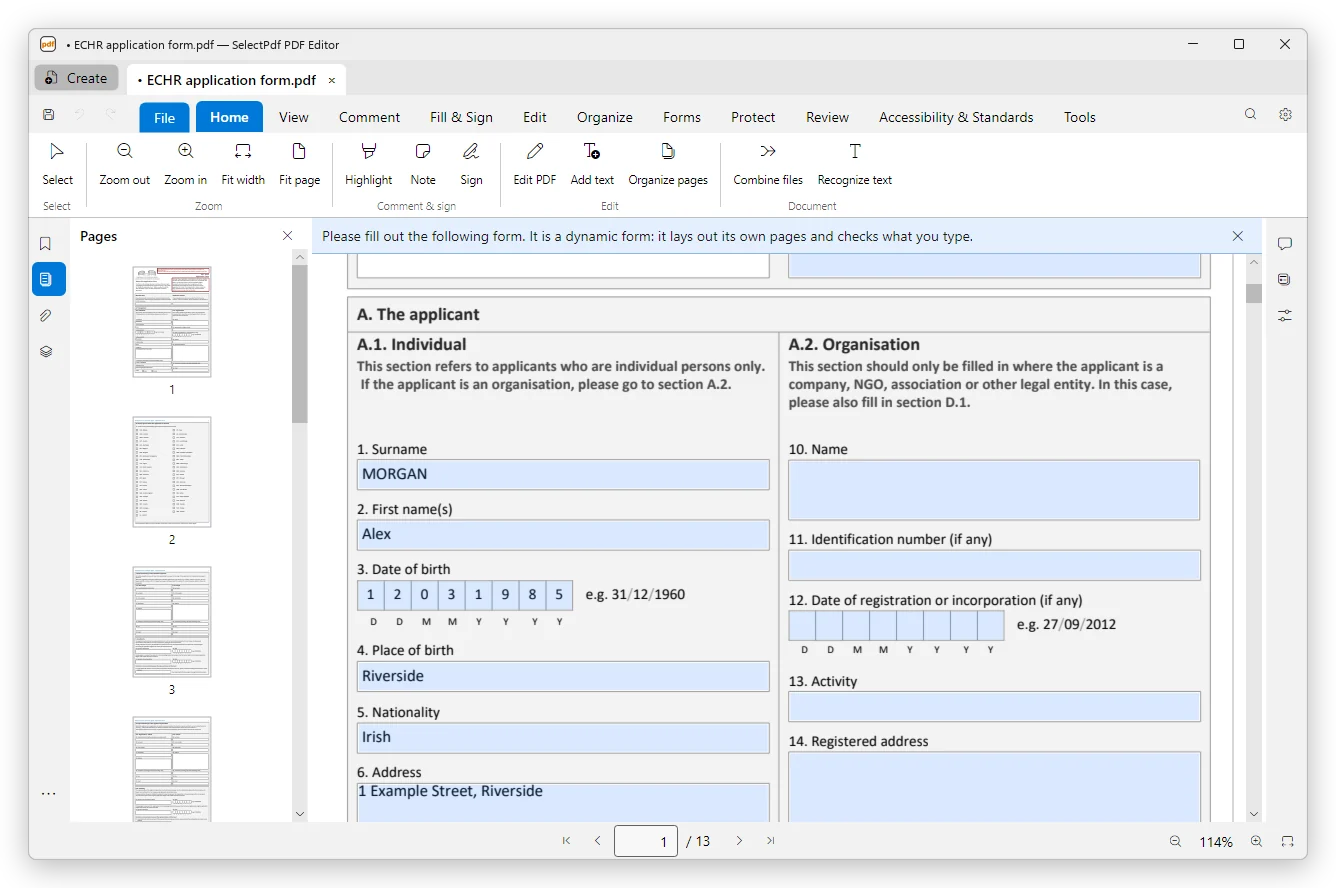
The form works as it was made to.
- The pages the form lays out, as you fill it
- Its scripts: calculations, checks, messages, fields that appear and disappear
- Tab moves from field to field in the order the form sets
- Lists the form loads from the internet, such as counties and streets, once you trust the document
- Files the form asks for, attached through its own buttons
- Saved as the form came, with your data in it: the form's design and its Adobe Reader usage rights stay valid
- Signed with a digital ID in the form's signature field (Pro)
- Flattened into ordinary pages, with the values as they show (Pro)
- Printed as the pages the form lays out
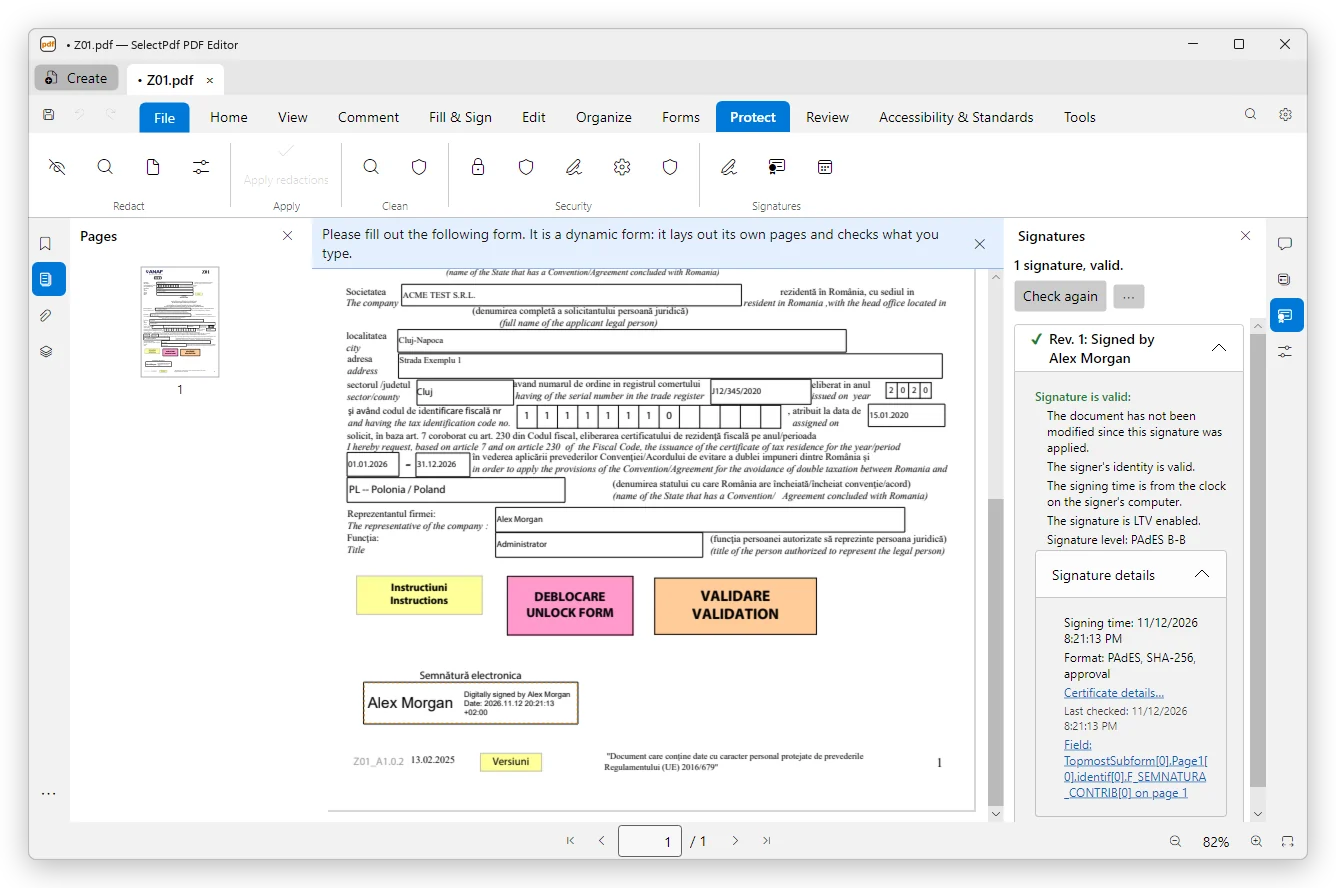
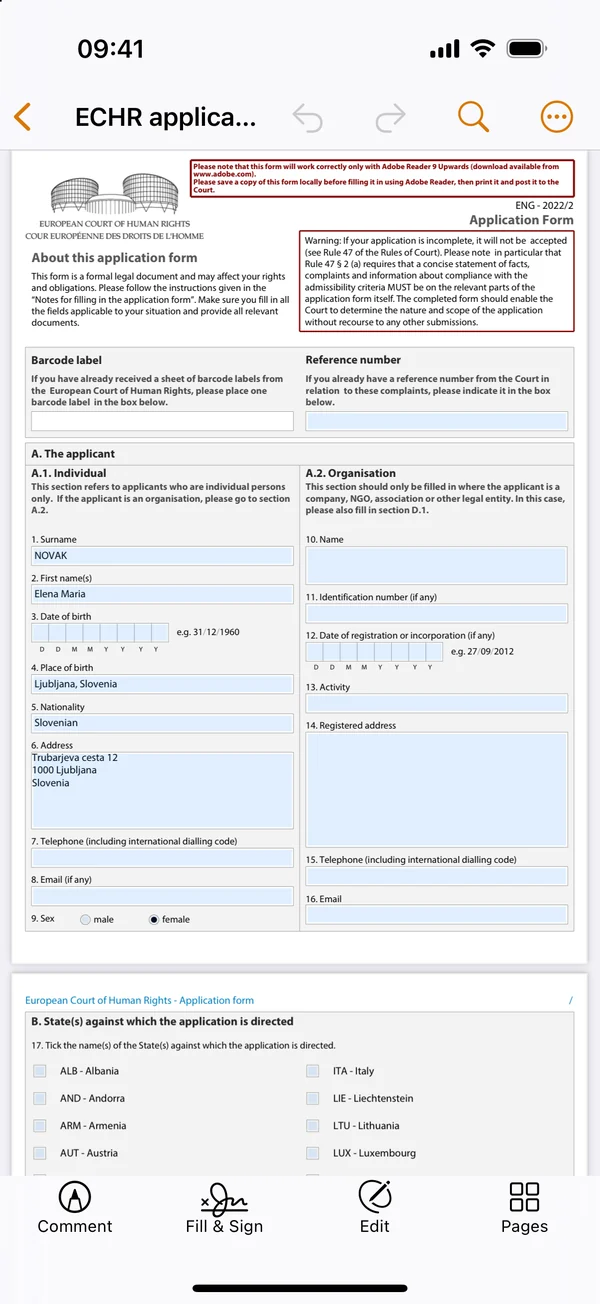
The same forms on iPhone and iPad.
The iPhone and iPad app opens dynamic XFA forms too: it lays them out, runs their scripts and their messages, attaches the files they ask for from Files, and signs their signature field with a digital ID. Many PDF apps on phones cannot open these forms at all.
Fill, not redesign.
The pages belong to the form: you fill its fields, but you cannot edit its text or move its parts, as with any XFA form. To change a form's design, use the tool it was made with. Whether an authority accepts a filled form is for that authority to say; the editor saves it the way the form expects.
Free to fill, Pro to sign.
Opening, filling, saving and printing XFA forms are free, with no watermark. Signing with a digital ID and flattening need Pro: $49 a year or $79 once on Windows and Mac, or the App Store subscription on iPhone and iPad. See pricing →
XFA forms, answered.
Step by step: filling forms in the user guide.