Digital signatures
that hold up.
A digital signature proves who signed a PDF and shows whether it changed afterwards. SelectPdf PDF Editor signs with your digital ID, from a file, your computer's certificate store, a smart card or a USB token, and checks the signatures of the documents you receive.
Sign with your digital ID.
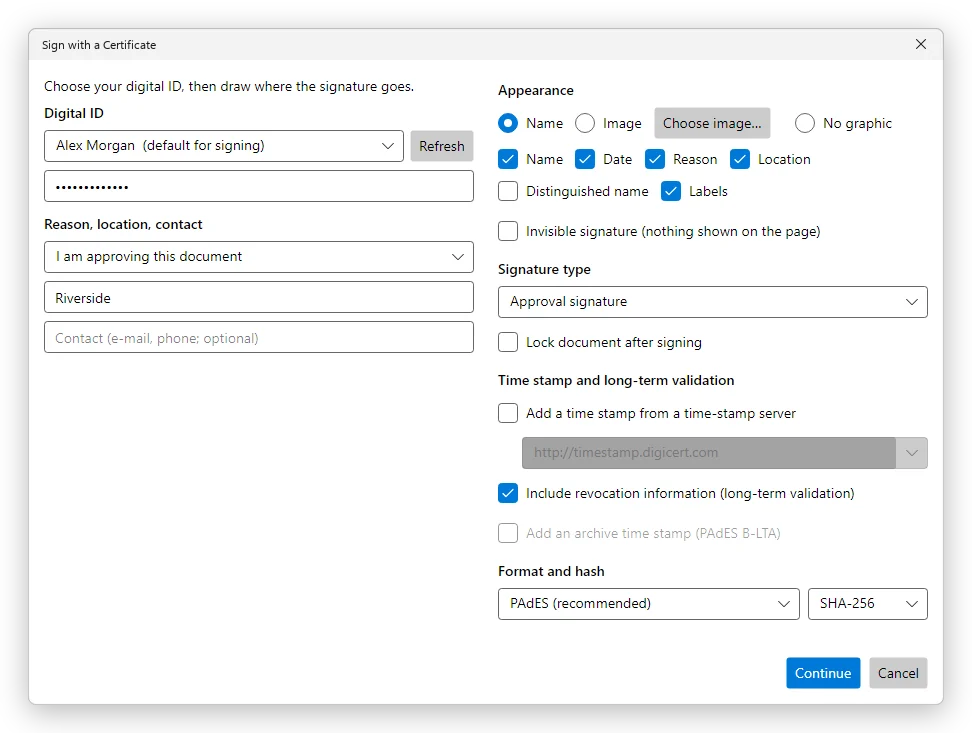
Choose your digital ID, type its password or the PIN of your card or token, give a reason if you like, and draw where the signature goes. The signed document is written at once, and the Signatures panel shows the new signature. Pro.
- PAdES signatures, or PKCS#7 for older readers
- A time stamp from a time-stamp server, so the signing time does not depend on your computer's clock
- Long-term validation, on by default: what is needed to check the signature after the certificate expires is stored in the document
- An archive time stamp (PAdES B-LTA) over all of it
- Certifying signatures: no changes, form filling, or form filling and comments allowed; or lock the document after signing
- Visible or invisible: your name or an image, with the date, the reason and the place
- A form's signature field, including a dynamic XFA form's
- A document time stamp, without signing
- Your digital IDs: add a file, attach a smart card's or a token's module, create a self-signed ID for trying out, export your certificate
Know whether a signature still holds.
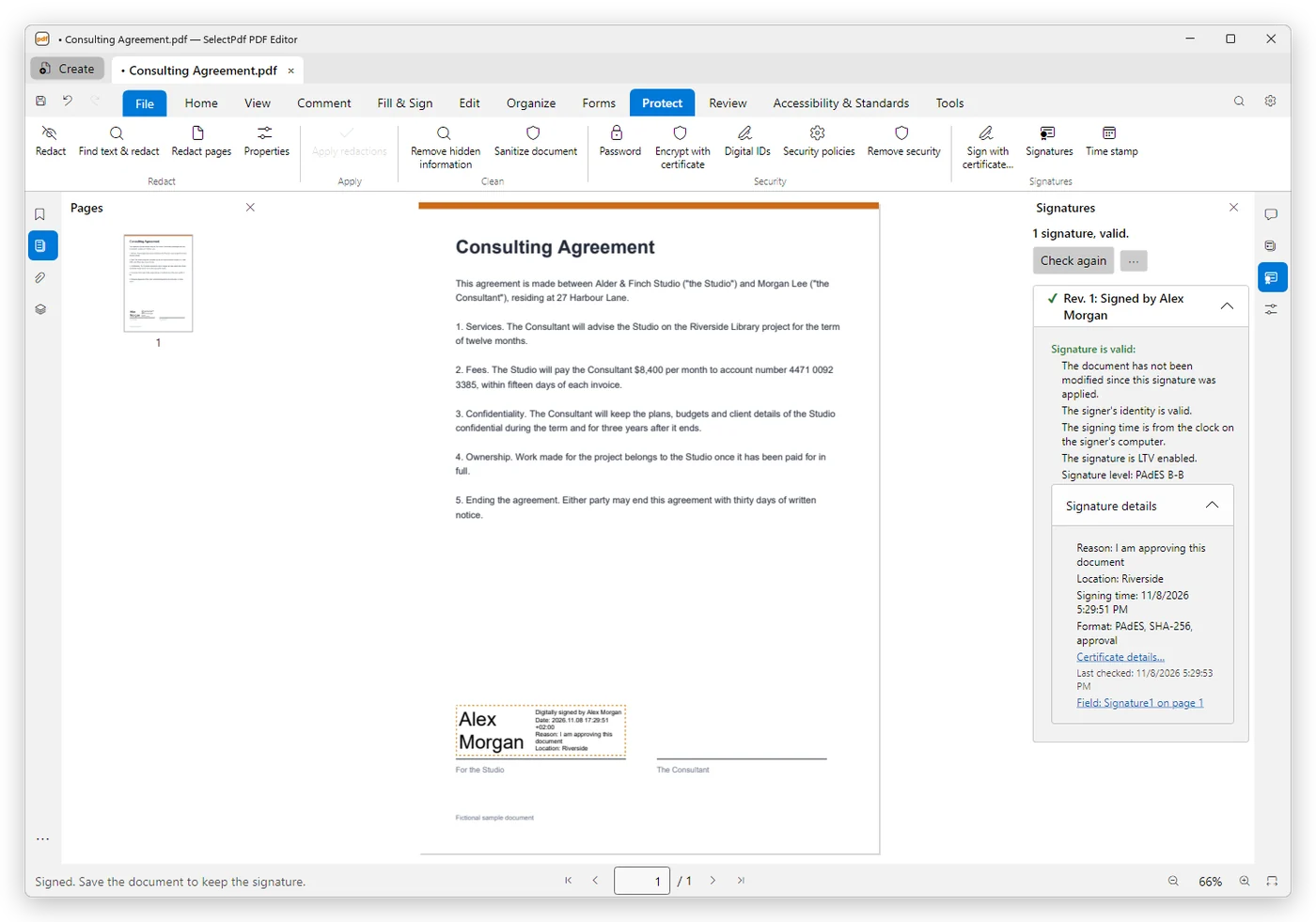
The Signatures panel checks each signature: valid, validity unknown, or invalid, and says why. It says whether the signing time came from a time-stamp server and whether the signature is LTV enabled.
When a document changed after it was signed, it opens the signed version and compares it with the current one. Trust comes from your own trusted certificates, Windows' root certificates, the EU Trusted Lists and the major document signing providers, with an online check that certificates were not revoked.
Free.
Sign and check on iPhone and iPad.
The iPhone and iPad app signs with PAdES and a time stamp, from a digital ID file (.p12 or .pfx) or a self-signed ID, and checks the signatures of the documents you open. Signing needs Pro; checking is free. Smart cards and USB tokens are for Windows and Mac.
The ID is yours to get.
A signature that others can check needs a digital ID from a certificate authority; a self-signed ID is for trying out signing, or between people who trust each other's certificates. The editor does not issue certificates. Which signatures a court, an authority or a client accepts is for them to say.
Signing with a digital ID and adding time stamps need Pro; checking signatures is free. See pricing →
Digital signatures, answered.
Step by step: digital signatures in the user guide.