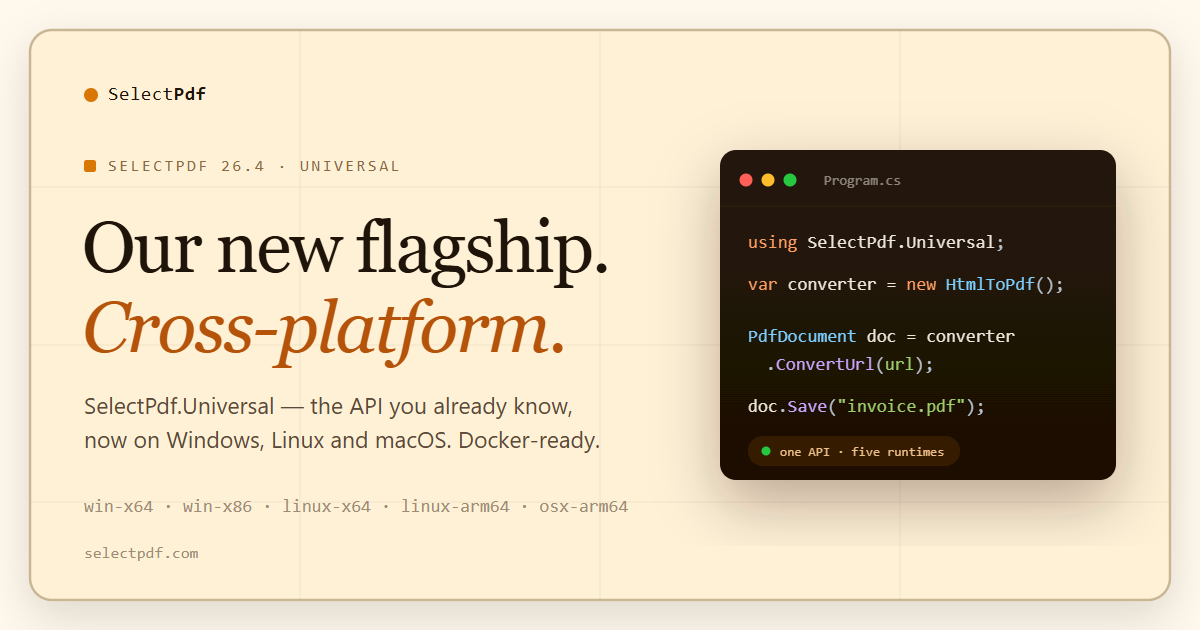
For twelve years the answer to “can I run the SelectPdf library on Linux?” was no — use the Online API instead. That answer changes today. SelectPdf 26.4 introduces SelectPdf.Universal, our new flagship .NET PDF library. It runs on Windows, Linux and macOS on Apple Silicon, in Docker, on x64 and ARM64, and it is where new features land first. It keeps the API you already know, so moving an existing project over is mostly mechanical.
The short version
- SelectPdf.Universal 26.4.0 is a new package family that runs on Windows (x64, x86), Linux (x64, ARM64) and macOS on Apple Silicon, targeting .NET 8 and .NET 10 — plus .NET Standard 2.0, which makes it consumable from .NET Framework 4.6.1 and later.
- An API you already know. 82% of the classic public API carries over unchanged apart from the namespace, which is now
SelectPdf.Universal. Moving a project over is mostly mechanical: new packages, the new namespace, and the library’s own drawing types in place of System.Drawing. - Nothing to
apt-get. The per-platform native package carries the complete Chromium shared-library closure, so a stock .NET runtime image is enough. - New standards land in Universal first: PDF/A-4, 4E and 4F, PDF/UA-2, AES-GCM and AES-256 Revision 6.
- ZUGFeRD / Factur-X electronic invoices arrive in 26.4 in both libraries — classic and Universal.
- The classic Windows library continues to be maintained and receives selected updates, with .NET Framework 2.0 support and all four rendering engines. One perpetual license covers both.
An API you already know
SelectPdf.Universal keeps the classes, members and overloads of the classic library wherever they could be kept. Measured against the classic 26.4 SDK, 82% of its public types and members carry over unchanged apart from the namespace, so a conversion reads the way it always has:
using SelectPdf.Universal;

// the same code on Windows, Linux and macOS
HtmlToPdf converter = new HtmlToPdf();
PdfDocument doc = converter.ConvertUrl("https://selectpdf.com");
doc.Save("output.pdf");
doc.Close();
Moving a project over is mostly mechanical: new packages, the SelectPdf.Universal namespace, and the library’s own drawing types in place of System.Drawing, which is Windows-only on current .NET. Universal renders with Chromium only, so settings for the WebKit and Blink engines go, and direct printing and conversion events stay on the classic library. The migration topic in the documentation lists every change, with before-and-after code.
Installing takes two lines: the library, plus the native engine package for each runtime you deploy to.
dotnet add package SelectPdf.Universal
dotnet add package SelectPdf.Universal.Native.linux-x64
Reference more than one native package if you build for more than one target — developing on Windows and deploying to Linux is the common case, and adding both is all that is required.
Where it runs
- Windows —
win-x64,win-x86. The engines are statically linked against the CRT, so there is no Visual C++ redistributable to install. Windows Server Core containers work too, with one step that installs the core Windows fonts; Nano Server is not supported. - Linux —
linux-x64,linux-arm64. Verified on Debian 12, Ubuntu 22.04, Ubuntu 24.04 and Amazon Linux 2023. glibc 2.30 or later. - macOS —
osx-arm64, macOS 13 or later, with Developer ID signed and notarized engines. Apple Silicon only; Intel Macs are not covered. - Containers — stock
mcr.microsoft.com/dotnet/runtimeimages, x64 or ARM64, with no extra system packages and no special run flags. - Azure — verified on App Service and Azure Functions, on both Windows and Linux, on the Basic SKU or above. One caveat worth knowing up front: “Run From Package” deployment breaks the engine on Windows, because the engine cannot load its libraries from the mounted package. Zip Deploy and Web Deploy are not affected.
- Other clouds — also verified on Azure Container Apps, AWS Lambda (x64 and ARM64), AWS Elastic Beanstalk (Windows and Linux) and Google Cloud Run, each with a step-by-step page in the documentation.
- Not supported — there is no Windows-on-ARM engine. For
win-arm64, Intel Macs, or any stack that is not .NET, the Online API is still the answer.
Linux and Docker: nothing to apt-get
This is the part most people expect to be painful, so it is worth being specific. The SelectPdf.Universal.Native package for each Linux runtime ships the full Chromium shared-library closure — roughly 82 libraries, including the modules that are loaded at run time for HTTPS. There is no package list to install in your Dockerfile and no X server: rendering is headless, with no Xvfb and no $DISPLAY.
Fonts are covered too. The library carries the Liberation fonts, so Latin, Greek and Cyrillic text prints correctly on an image with no fonts at all. For every other script — Arabic, Hebrew, Chinese, Japanese, Korean, Hindi, Thai and more, plus color emoji — add the optional SelectPdf.Universal.Fonts package, which copies the Noto fonts next to your application at build time. Nothing is installed on the server either way.
A plain docker run works. No --no-sandbox, no added capabilities, no privileged mode, no GPU, no --shm-size tuning. No manual chmod either: publishing on Linux makes the engine readable and executable for every user, and the library restores the execute permission itself if it was lost, so the image can switch to the non-root app user with no extra line.
FROM mcr.microsoft.com/dotnet/sdk:10.0 AS build
WORKDIR /src
COPY . .
RUN dotnet publish -c Release -f net10.0 -o /out

FROM mcr.microsoft.com/dotnet/runtime:10.0-noble AS runtime
# no apt-get: the Chromium closure ships in
# SelectPdf.Universal.Native.linux-x64 and it runs headless
WORKDIR /app
COPY --from=build /out ./
ENTRYPOINT ["dotnet", "MyApp.dll"]
PDF to text and PDF to image need nothing at all on any platform — that engine is statically linked.
Not just portable — the PDF 2.0 generation
Portability is only half of the release. SelectPdf.Universal is also where the newest standards work lands, which matters to people who will never deploy a container in their life:
- PDF/A-4, PDF/A-4E and PDF/A-4F (ISO 19005-4) — the PDF 2.0 generation of archival PDF, including the engineering variant and the variant that permits arbitrary embedded files. The earlier levels, PDF/A-1B through PDF/A-3A, are supported in both libraries.
- PDF/UA-2 (ISO 14289-2) alongside PDF/UA-1 — tagged, accessible PDF for EN 301 549, Section 508 and the European Accessibility Act. PDF/A-4 is the archival level that pairs with PDF/UA-2; the earlier PDF/A levels are defined on PDF 1.7 and cannot.
- AES-GCM and AES-256 Revision 6 encryption, on top of the existing RC4 and AES options at 40, 128 and 256 bits.
Turning them on is a property each:
HtmlToPdf converter = new HtmlToPdf();
converter.Options.PdfStandard = PdfStandard.PdfA4;
converter.Options.AccessibilityStandard = PdfUAStandard.UA2;
Both standards require a document title and a document language, so supply those as well — the library will not invent them for you.
ZUGFeRD and Factur-X, in both libraries
26.4 also adds hybrid electronic invoices, and this one is not Universal-only — it ships in the classic Windows library too. A single call embeds the invoice XML as a PDF/A-3 associated file, names it the way the standards require, and writes the identification metadata that invoice software looks for:
converter.Options.PdfStandard = PdfStandard.PdfA3B;
PdfDocument doc = converter.ConvertUrl("https://example.com/invoice");

using (FileStream xml = File.OpenRead("factur-x.xml"))
{
    doc.AddZugferdInvoice(xml, ZugferdProfile.En16931,
        PdfAttachmentRelationship.Alternative);
}
All six profiles are covered — Minimum, Basic WL, Basic, EN 16931, Extended and XRechnung — with Factur-X 1.0 metadata by default and the legacy ZUGFeRD 2.0 schema available for recipients that still require it. There is a fuller write-up on the .NET PDF library page.
Also new in SelectPdf.Universal
26.4 is the first release of SelectPdf.Universal, and it already carries features the classic library does not have:
- Word to PDF.
WordToPdfconverts DOCX, DOC, RTF, TXT, WordML, HTML and Markdown documents. Page sizes follow the document, the output can be PDF/UA or PDF/A, and a Word document can also be a header, a footer or a region of a page. More on the Word to PDF for .NET page. - Redaction.
PdfRedactionManagerremoves content by area, text or regular expression — deleted from the file, not covered over. - Signature validation.
ValidateSignaturesreports whether each signature is valid and trusted, whether the document changed after it was signed and, with revocation checking on, whether the certificate was revoked. - An async API.
ConvertUrlAsyncandConvertHtmlStringAsync, with cancellation. - Faster conversions. After the first conversion, a simple page converts in a fraction of a second, and up to eight conversions run in parallel by default.
- AES-256 by default. Setting a password alone now encrypts with AES-256.
Word to PDF, redaction and signature validation are in the commercial package only.
Also in 26.4
These land in both libraries:
- Chromium 154. The Chromium engine moves to Chromium 154; the classic library’s Blink engine stays on Chromium 148.
- Pages end where the content ends. With the Chromium engine the last page is cut where the content stops, on documents of any length, with no trailing blank page.
ManagedContentTrimmingturns it off. - HTML elements flow across pages. A
PdfHtmlElementplaced part-way down a page continues on the following pages. - Large documents save much faster. Building and saving a document is now linear in the number of PDF objects — in our measurements, saving a document with 160,000 objects went from 80 seconds to 2.2.
- Custom XMP metadata.
AddXmpExtensionSchemadeclares your own metadata schema and writes its values, keeping the document PDF/A conformant. - Partial-page conversion now produces PDF on the Blink and Chromium engines, not only images — and the element can be picked with a CSS selector, not just an element id.
WebPageFixedSizeis now honoured on Blink and Chromium; previously it reached only the WebKit engines.- WebGL is now off by default on the browser engines; set
WebGlEnabledto true for pages that need it. - Right-to-left pages are no longer shifted off the left edge with the Chromium engine.
- In SelectPdf.Universal,
MinPageLoadTimeandMaxPageLoadTimeare nowConversionDelayandNavigationTimeout; the old names still compile, with an obsolete warning.
Which one should I use?
Start new work on the flagship, and keep the classic library where it still fits. The rule is about your stack, not your operating system:
- New projects on modern .NET — Windows, Linux, macOS, Docker or ARM64 — or you need Word to PDF, PDF/A-4 or PDF/UA-2 → SelectPdf.Universal. Cross-platform PDF library
- An existing Windows or .NET Framework application, or you need the WebKit or Blink engines → SelectPdf (classic). .NET PDF library
- Not on .NET, or you want nothing to deploy → the Online API.
Licensing, and the free edition
There is no new SKU and no upgrade to buy. One perpetual per-developer license covers both the classic Windows packages and SelectPdf.Universal — one license, both libraries. If you hold a SelectPdf license today, you are already licensed for Universal.
The free Community Edition goes cross-platform as well: SelectPdf.HtmlToPdf.Universal converts HTML to PDF on all supported platforms, free for commercial use, with no watermark and a five-page limit per document — the same terms as the classic Select.HtmlToPdf on Windows. Tagged accessible PDF and electronic invoices are part of the licensed library, not the free edition.
Is the classic library going away?
No. The classic Windows library continues to be maintained and receives selected updates from the work that goes into SelectPdf.Universal — which is why ZUGFeRD landed in both at once. It keeps things Universal does not have: .NET Framework 2.0 support going back two decades, four rendering engines to choose between, direct printing and conversion events. Both libraries are 26.4.0 today.
FAQ
Do I have to change my code?
Some, and mostly mechanically. The namespace becomes SelectPdf.Universal, System.Drawing types give way to the library’s own, and settings for the WebKit and Blink engines are removed. 82% of the classic public API carries over unchanged apart from the namespace, and the migration topic in the documentation lists every change.
Which packages do I install?
Two: SelectPdf.Universal for the library, and one SelectPdf.Universal.Native.<rid> for each runtime you deploy to — win-x64, win-x86, linux-x64, linux-arm64 or osx-arm64. Reference several if you build for several. On Linux, add SelectPdf.Universal.Fonts when your pages use scripts beyond Latin, Greek and Cyrillic.
Does it really need no system packages on Linux?
Correct. The native package carries the full Chromium closure, including the modules loaded dynamically for HTTPS. This was verified with real HTTPS conversions on Debian 12, Ubuntu 22.04, Ubuntu 24.04 and Amazon Linux 2023, on images with nothing installed beyond the .NET runtime. For pages in scripts other than Latin, Greek and Cyrillic, add the SelectPdf.Universal.Fonts package — it is a NuGet reference too, not a system package.
What about macOS?
macOS 13 or later on Apple Silicon, with signed and notarized engines. There is no Intel build — use the Online API on Intel Macs.
Do I need a new license?
No. The same perpetual license covers both libraries. Pricing is unchanged.
Where do I get it?
From NuGet, or as ZIP archives from Downloads — the free editions are on Free Downloads.
Questions about migrating an existing project, or about a platform not listed here? Get in touch: support@selectpdf.com.