Updated October 2026 for SelectPdf 26.4: the library now runs on Linux, in Docker and on macOS on Apple Silicon as well, through the new SelectPdf.Universal packages. The Linux sections below are rewritten accordingly.
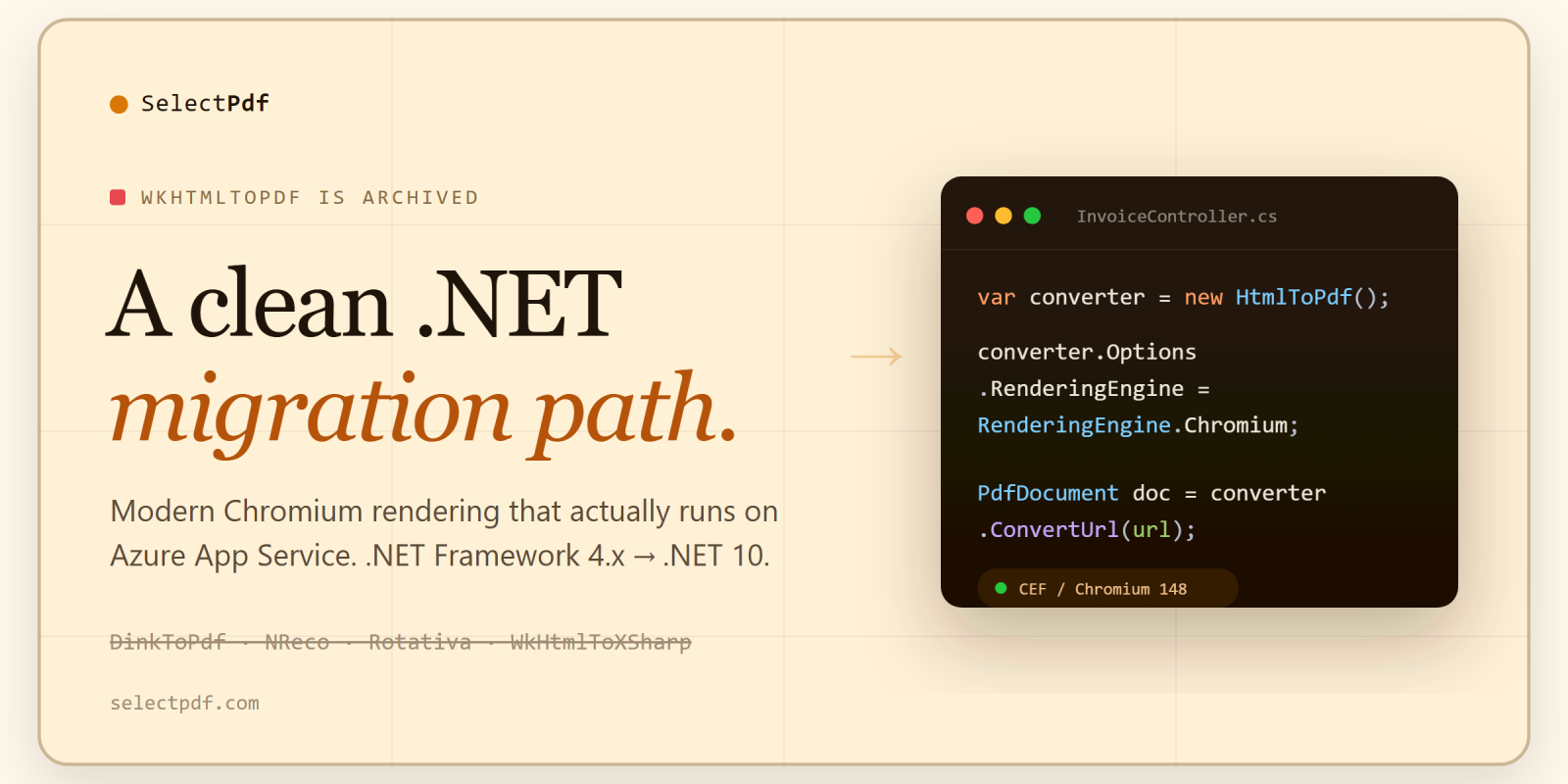
If your .NET app still calls DinkToPdf, NReco.PdfGenerator, Rotativa, or WkHtmlToXSharp in production, you’re shipping a wrapper around a binary that hasn’t had a security patch in years — and one of its open holes is a CVSS 9.8.
wkhtmltopdf’s repository has been frozen and read-only since January 2023, and the whole project org was archived by mid-2024. Development has stopped; nobody is accepting patches. The underlying QtWebKit engine forked from upstream around 2012 — no modern Flexbox, no Grid, no modern JavaScript, no ICU updates. And CVE-2022-35583 — an SSRF that lets an attacker reach your internal network by injecting an <iframe> pointing at an internal IP — sits at CVSS 9.8, unpatched, and permanently so.
If your app takes any user-influenced HTML and turns it into a PDF behind a public endpoint, that’s not a “someday” cleanup. This post is the migration I’d actually run.
First: Windows, Linux or Docker?
I’m putting this at the top because it decides which packages you install, and nothing annoys an engineer more than finding it in paragraph 30. The good news: since version 26.4 there is a SelectPdf library for each case.
- Linux, Docker, macOS on Apple Silicon — or any new project on modern .NET — use SelectPdf.Universal, the new flagship edition. It runs on Windows (x64, x86), Linux (x64, ARM64) and macOS on Apple Silicon, targets .NET 8 and .NET 10 plus .NET Standard 2.0, and renders with Chromium. You reference the library plus one native package per runtime you deploy to.
- An existing Windows or .NET Framework app (IIS, a VM, Windows App Service) — the classic SelectPdf library is a direct NuGet reference with one API call, supports .NET Framework 2.0 and later, and keeps its four rendering engines. It is still maintained.
- Not on .NET, or you want nothing to deploy at all — SelectPdf’s Online REST API: your app POSTs HTML and gets back PDF bytes over HTTPS, from any OS and any language.
Linux is where wkhtmltopdf hurts most today (newer glibc/libssl combos crash it, and it’s no one’s job to fix), so it’s worth being specific. The SelectPdf.Universal.Native.linux-x64 and linux-arm64 packages carry the shared libraries Chromium needs, so a stock .NET runtime image converts pages with no apt-get step, no X server and no special docker run flags. That was verified with real HTTPS conversions on Debian 12, Ubuntu 22.04, Ubuntu 24.04 and Amazon Linux 2023. Latin, Greek and Cyrillic text prints with the fonts built into the library; for other scripts (Arabic, Chinese, Japanese, Korean, Hindi, Thai and more) add the optional SelectPdf.Universal.Fonts package — also just a NuGet reference.
“Why not just use Playwright or PuppeteerSharp?”
Fair question, and for some teams that’s the right call — they’re free, cross-platform, and render with real Chromium. Here’s the honest trade:
With Playwright/PuppeteerSharp you operate the browser yourself. You run a provisioning step (playwright install, or bundling the binaries) and version-manage Chromium; you own the headless browser’s lifecycle (zombie processes are real under load); you write your own concurrency throttling; and you write and maintain the automation script. On Linux you also chase down the font and shared-library packages so text doesn’t render as boxes. On Windows App Service specifically, a raw headless browser tends to fight the sandbox too — a similar restriction to the Win32k/GDI wall that bites wkhtmltopdf (more on that below).
Now the honest part, about what is not a difference: SelectPdf also ships a bundled Chromium (CEF) runtime of broadly similar size — so the disk/image footprint is roughly a wash. Chromium is Chromium. What differs is who provisions and babysits it. SelectPdf ships the matched runtime as a NuGet package that the build copies into your output automatically (no separate install step, no version drift), manages the browser for you, and caps parallelism through one built-in setting (MaximumConcurrentConversions) — all behind a single call that returns the PDF. On Linux the native package already carries the shared libraries, so there is nothing to apt-get. The engine is also built to run inside the App Service sandbox where a raw headless browser struggles. You don’t write automation, and you don’t provision a browser fleet.
And there’s a scope difference that outlasts the migration: Playwright and Puppeteer only print HTML to PDF. The moment your requirements grow past “render this page” — merge the invoice with a cover sheet, stamp a watermark, fill an AcroForm, digitally sign it, encrypt it, or extract the text back out for search — you’re bolting on a second PDF library (PdfSharp, iText, QuestPDF) and gluing two toolchains together. SelectPdf’s commercial library does the rendering and that post-processing in one dependency: create PDFs from scratch, merge/split, stamp, fill and flatten forms, sign, encrypt, extract text and images, and emit tagged PDF/UA or PDF/A for accessibility and archival. (The free Community Edition is HTML→PDF only — these extras are the paid library.) If rendering HTML is genuinely all you’ll ever do, that breadth doesn’t matter and Puppeteer is fine. If you can feel a “can you also…” ticket coming, one library beats two.
If your team is happy operating headless Chrome directly and never needs more than print-to-PDF, Puppeteer is a perfectly defensible choice. Pick with eyes open.
One more note on the “is it even alive?” question, since wkhtmltopdf just taught everyone to ask it: SelectPdf shipped v26.4 in October 2026 — the release that added SelectPdf.Universal for Linux, Docker and macOS on Apple Silicon — and the packages sit at 23M+ NuGet downloads. Actively maintained, with a paid tier where a human answers.
What “archived” actually means for your stack
Most teams know wkhtmltopdf is “old” but haven’t priced in the archive:
- No more CVE patches. Ever. CVE-2022-35583 is filed, triaged, and will never be fixed upstream. Any SSRF reported after the repo froze lands in a read-only tracker.
- QtWebKit is frozen near 2012. CSS Grid, container queries, modern JS, modern font features — anything your designers shipped in the last decade renders unreliably or not at all.
- The .NET wrappers fix none of this.
DinkToPdf,NReco.PdfGenerator,Rotativa.AspNetCore,WkHtmlToXSharpall P/Invoke into the samelibwkhtmltoxnative binary. If wkhtmltopdf isn’t patched, neither are they. (DinkToPdf itself hasn’t shipped a release since 2017.)
The migration, in code
Here’s a typical DinkToPdf setup — note the injected IConverter, which DinkToPdf requires as a singleton because the native lib can’t be loaded repeatedly:
// Old: DinkToPdf
using DinkToPdf;
using DinkToPdf.Contracts;

public class InvoiceController : ControllerBase
{
    private readonly IConverter _converter;
    public InvoiceController(IConverter converter)
                => _converter = converter;

    [HttpGet("invoice/{id}")]
    public IActionResult Get(int id)
    {
        var html = RenderInvoiceHtml(id);

        var doc = new HtmlToPdfDocument
        {
            GlobalSettings = {
                PaperSize = PaperKind.A4,
                Orientation = Orientation.Portrait,
                Margins = new MarginSettings { Top = 20, Bottom = 20 }
            },
            Objects = { new ObjectSettings { HtmlContent = html } }
        };

        var pdf = _converter.Convert(doc);
        return File(pdf, "application/pdf", $"invoice-{id}.pdf");
    }
}
Same endpoint with SelectPdf.Universal — the same code runs on Windows, Linux and macOS on Apple Silicon:
// New: SelectPdf.Universal
using SelectPdf.Universal;

public class InvoiceController : ControllerBase
{
    [HttpGet("invoice/{id}")]
    public IActionResult Get(int id)
    {
        var html = RenderInvoiceHtml(id);

        var converter = new HtmlToPdf();
        converter.Options.PdfPageSize        = PdfPageSize.A4;
        converter.Options.PdfPageOrientation = PdfPageOrientation.Portrait;
        converter.Options.MarginTop = 20;
        converter.Options.MarginBottom = 20;

        PdfDocument doc = converter.ConvertHtmlString(html);
        try
        {
            byte[] bytes = doc.Save();
            return File(bytes, "application/pdf", $"invoice-{id}.pdf");
        }
        finally
        {
            doc.Close();
        }
    }
}
On the classic Windows library the code is the same apart from using SelectPdf; and one extra line to pick the engine: converter.Options.RenderingEngine = RenderingEngine.Chromium; (SelectPdf.Universal renders with Chromium only, so it needs no such line).
About that lifecycle change
You probably noticed the DI singleton is gone. That’s deliberate, and it’s the question a careful reviewer should ask: is new HtmlToPdf() per request safe?
Yes. Unlike DinkToPdf’s converter, there’s no “load the native lib exactly once” dance — you construct a converter per conversion. Parallelism is governed by a single knob, HtmlToPdfOptions.MaximumConcurrentConversions (default 8 in SelectPdf.Universal, 4 in the classic library), which you set once at startup, before the first conversion; requests beyond the limit queue for a slot rather than thrashing the box. So the mental model is: new freely per request, cap total concurrency globally. If you’d rather keep a DI registration for testability, register the converter as transient — it doesn’t need to be a singleton. SelectPdf.Universal also has ConvertHtmlStringAsync and ConvertUrlAsync, with cancellation, if your controllers are async.
NuGet packages
# SelectPdf.Universal — Windows, Linux, Docker, macOS on Apple Silicon.
# The library, plus one native package per runtime you deploy to
# (win-x64, win-x86, linux-x64, linux-arm64, osx-arm64).

# Free Community Edition — HTML->PDF only, 5-page cap;
# no PDF post-processing (merge/split, signing, encryption, extraction)
dotnet add package SelectPdf.HtmlToPdf.Universal
dotnet add package SelectPdf.Universal.Native.linux-x64

# Commercial library once you outgrow 5 pages (from $499, perpetual)
dotnet add package SelectPdf.Universal
dotnet add package SelectPdf.Universal.Native.linux-x64

# Optional on Linux: fonts for non-Latin scripts
dotnet add package SelectPdf.Universal.Fonts

# Classic library on Windows (.NET Framework 4.6.1+ and modern .NET;
# for .NET Framework 2.0/4.0 use Select.HtmlToPdf / Select.Pdf)
dotnet add package Select.HtmlToPdf.NetCore                    # free CE
dotnet add package Select.HtmlToPdf.NetCore.Chromium.Windows
dotnet add package Select.Pdf.NetCore                          # commercial
dotnet add package Select.Pdf.NetCore.Chromium.Windows
Reference several native packages if you build for several targets — developing on Windows and deploying to a Linux container is the common case. Be honest with yourself about that 5-page cap: it’s free forever, but a typical multi-page invoice or report blows past it, so for real workloads the CE is effectively an evaluation and you’ll want a license (pricing). One perpetual license covers both the classic and the Universal library. The classic packages still target net20 and net40 (Select.Pdf, Select.HtmlToPdf) and net461, net472 and netstandard2.0 (the .NetCore packages), so migrating a .NET Framework app doesn’t force a TFM bump.
Migrating your wkhtmltopdf flags
The ConvertHtmlString call is the easy 20%. The part that actually took you an afternoon in wkhtmltopdf was the CLI flags — headers, footers, page numbers, margins. Here’s the mapping so you’re not reverse-engineering it (it is the same in both libraries):
| wkhtmltopdf | SelectPdf |
|---|---|
--page-size A4 |
Options.PdfPageSize = PdfPageSize.A4 |
--orientation Landscape |
Options.PdfPageOrientation = PdfPageOrientation.Landscape |
--margin-top 20 (etc.) |
Options.MarginTop = 20 (MarginBottom/Left/Right) |
--header-html header.html |
Options.DisplayHeader = true; then converter.Header.Add(new PdfHtmlSection(url)) |
--footer-html footer.html |
Options.DisplayFooter = true; then converter.Footer.Add(...) |
[page] / [topage] tokens |
{page_number} / {total_pages} in a PdfTextSection |
--print-media-type |
Options.CssMediaType = HtmlToPdfCssMediaType.Print |
Footer with page numbers, end to end:
converter.Options.DisplayFooter = true;
converter.Footer.Height = 40;

var pageNo = new PdfTextSection(0, 10,
    "Page {page_number} of {total_pages}",
    PdfFont.CreateStandardFont(PdfStandardFont.Helvetica, 9));
pageNo.HorizontalAlign = PdfTextHorizontalAlign.Right;
converter.Footer.Add(pageNo);
(On the classic library, PdfTextSection takes a System.Drawing.Font instead, for example new System.Drawing.Font("Arial", 9). SelectPdf.Universal has its own font types because System.Drawing is Windows-only on current .NET.)
That — headers, footers, page numbering — all works in the free Community Edition too, within the 5-page cap.
The Azure App Service angle
This is the one I get asked about most, so I’ll be explicit.
Azure App Service on Windows runs your app in a sandbox that blocks most User32/GDI32 (Win32k.sys) system calls — exactly what a GDI-based browser engine bundled in a .NET app needs. That’s what makes wkhtmltopdf flaky there: P/Invoke load failures, missing GDI calls, font issues. Bundled headless-Chrome setups tend to struggle in the same sandbox too, for related reasons (process/GPU restrictions rather than GDI specifically).
SelectPdf’s Chromium engine — on Chromium 154 as of v26.4 — is built to run inside that sandbox. With SelectPdf.Universal the same code runs on App Service and Azure Functions, on both Windows and Linux, on the Basic plan or above. One caveat worth knowing up front: on Windows, don’t deploy with “Run From Package” (WEBSITE_RUN_FROM_PACKAGE) — the engine cannot load its libraries from the mounted package; Zip Deploy and Web Deploy are fine. The classic library runs on Windows App Service (Basic and above), and on Azure Functions when hosted on a Premium or App Service plan. From your code it’s the same call you already saw:
var converter = new HtmlToPdf();

PdfDocument doc = converter.ConvertUrl("https://example.com/report");
doc.Save("report.pdf");
doc.Close();
No “but it works locally” Slack thread at 11pm.
Closing the SSRF loop
We opened on CVE-2022-35583, so let’s not hand-wave the fix. Two things change when you migrate:
- You get a kill-switch for local-file exfiltration. Set
HtmlToPdfOptions.DenyLocalFileAccess = trueper conversion, orGlobalProperties.ForceDenyLocalFileAccess = trueprocess-wide, andfile://reads are blocked — shutting off the local-file-read half of the classic wkhtmltopdf attack. Both libraries have both switches. - The internal-IP SSRF half is a network problem, and the right answer depends on trust. If you convert genuinely untrusted, user-supplied HTML, don’t render it on your own infrastructure next to your internal network at all — push it to the Online REST API, so the conversion runs off your infrastructure, away from your internal network. And unlike the archived binary, when a rendering-side issue is found, there’s a maintained product that can actually ship a fix.
That’s the real difference: not “SelectPdf is magically SSRF-proof,” but “you get controls, isolation options, and someone who patches.”
What to actually do this week
grepthe solution forDinkToPdf,NReco.PdfGenerator,Rotativa,WkHtmlToX,wkhtmltopdf. Every hit is a candidate.- Pick the package for where you deploy (see the top): SelectPdf.Universal for Linux, Docker and new projects; the classic library for an existing Windows or .NET Framework app; the Online API for anything else.
- Pick the one endpoint that renders user-influenced HTML. Highest-risk surface; start there.
dotnet add package SelectPdf.HtmlToPdf.Universal+SelectPdf.Universal.Native.<rid>for each runtime you deploy to. Free, 5-page cap.- Port the converter call and your header/footer flags using the mapping above; run your existing tests; eyeball the output diff.
- If layout shifts (it might — wkhtmltopdf has 2012-era quirks your CSS may lean on), the fix is almost always a CSS cleanup, not a converter tweak.
- Past 5 pages, get a license — but validate output on the free build first.
If SelectPdf isn’t right for your stack, still migrate. Anything maintained beats an archived 9.8. And if you try it and hit a snag, drop me a line — I read the inbox.
Try it
- Cross-platform library (Windows, Linux, Docker, macOS on Apple Silicon): selectpdf.com/pdf-library-cross-platform
- Free Community Edition: selectpdf.com/community-edition
- Live demo (paste any URL): selectpdf.com/demo-universal
- Online API for any language: selectpdf.com/html-to-pdf-api
- Docs, including Docker and Azure deployment: selectpdf.com/pdf-library
- NuGet: SelectPdf.HtmlToPdf.Universal
Next post: “Top 10 HTML-to-PDF Libraries for C# / .NET (2026): A Practical Comparison” — a fair head-to-head of the real options in this space, including where SelectPdf isn’t the right pick.