Accessible PDFs for the
European Accessibility Act.
Since 28 June 2025, the European Accessibility Act asks the businesses that serve consumers in the EU to make their services accessible, including the documents they give their customers. SelectPdf PDF Editor checks a PDF against the WCAG criteria of the European standard and gives you the tools to fix what fails.
Who the act applies to.
The act, Directive (EU) 2019/882, applies to these services when they are provided to consumers:
- e-commerce;
- consumer banking;
- e-books and the software to read them;
- electronic communications;
- access to audiovisual media services;
- air, bus, rail and waterborne passenger transport: websites, apps, e-tickets and travel information.
It also covers products such as computers, phones, e-readers, payment terminals and ticket machines. Each EU country has written the act into its own law, and enforces it there. Microenterprises that provide services, those with fewer than 10 employees and an annual turnover or balance sheet of no more than €2 million, are exempt.
What it asks of a document.
The act asks for information that is perceivable, operable, understandable and robust. It must be available in text formats that assistive technology can present in other ways, and every picture or other non-text content needs an alternative. For a PDF, that means the same things as WCAG:
- Tags that say what each part is (heading, paragraph, list, table, figure), in a logical reading order 1.3.1, 1.3.2
- Alternate text for each picture, or the picture marked as decoration 1.1.1
- A title and a language for the document, and the language of any part in another language 2.4.2, 3.1.1, 3.1.2
- Headings that describe what follows them 2.4.6
- Tables whose header cells are tagged as headers 1.3.1
- Form fields with a name and a description 3.3.2, 4.1.2
- Enough contrast between text and its background 1.4.3
- Links whose purpose is clear, and a tab order that follows the structure 2.4.3, 2.4.4
Office file formats published before 28 June 2025 are exempt. A service contract agreed before then may run on unchanged until it ends, but no longer than five years from that date.
The standard: EN 301 549.
EN 301 549 is the European standard for the accessibility of information and communication technology, and its clause on documents follows WCAG. Version 3.2.1, in use since 2021, asks for WCAG 2.1 Level AA. Version 4.1.1, published in September 2026 for the European Accessibility Act, asks for WCAG 2.2 Level AA. Once it is cited in the EU's Official Journal, meeting it gives a presumption of conformity with the act.
The criteria the editor checks are the same in WCAG 2.1 and 2.2. The criteria WCAG 2.2 added concern how people interact with pages and apps, such as focus, target size and logging in.
The editor's accessibility checker and its report come in 12 languages, including German, French, Spanish, Italian, Dutch, Polish, Portuguese and Romanian. The WCAG titles in the report stay in W3C's English.
Check and fix PDF accessibility in the editor.
See what fails, and where.
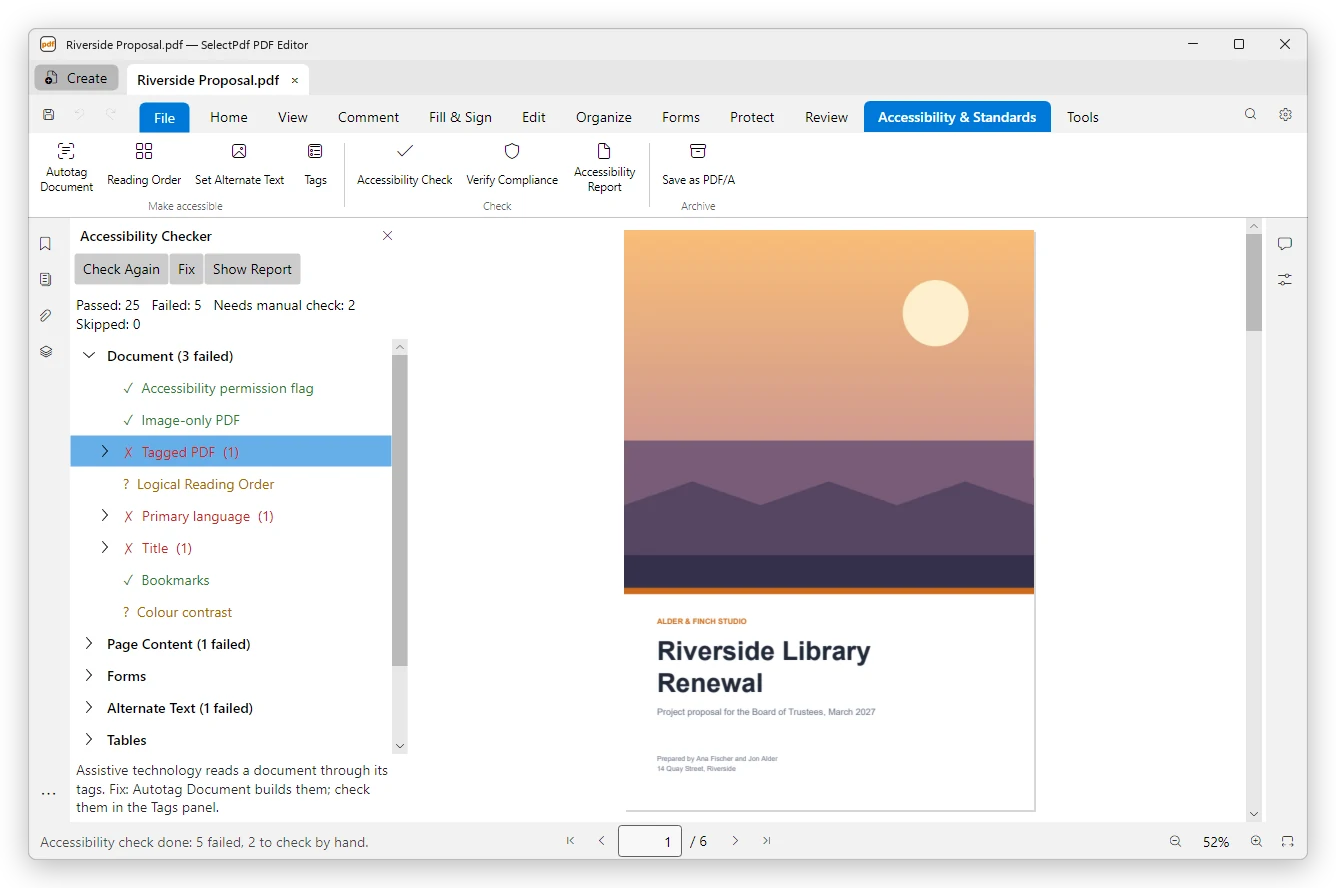
Click Accessibility Check on the Accessibility & Standards tab. The checker runs the 32 rules of a full accessibility check and the PDF/UA requirements of the Matterhorn Protocol. Each rule passes, fails or needs a manual check, and a click on a failure shows where it is on the page.
Show Report saves the results as a web page, with a table of the WCAG criteria the check covered, each with its level, A or AA, and its result.
Fix tags, alternate text and reading order.
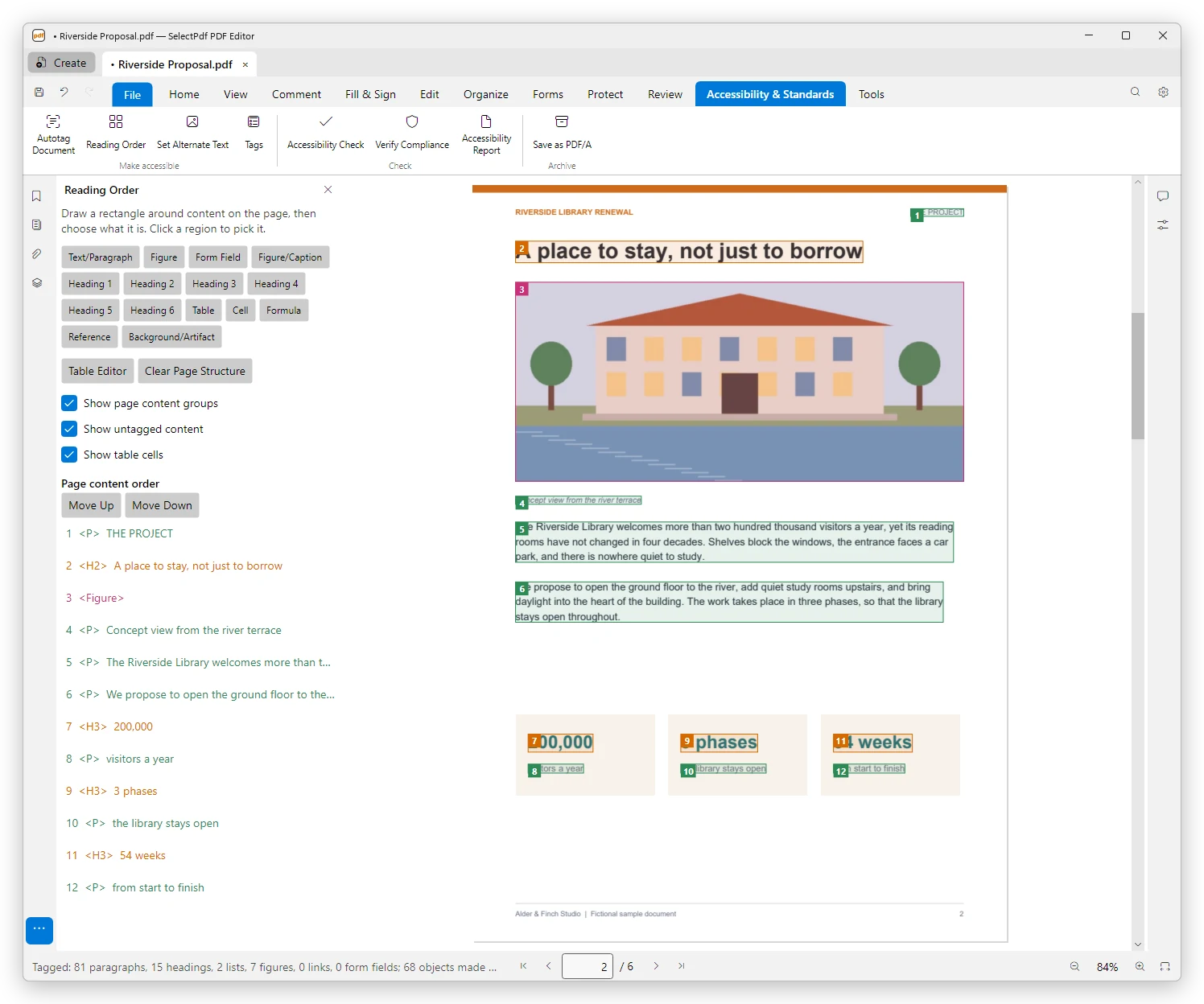
Autotag Document tags a PDF that has no tags: headings, paragraphs, lists, tables, figures, links and form fields, with decoration marked as artifacts that screen readers skip. Set Alternate Text goes through the figures one by one, to describe each one or mark it as decorative. Fix on a failed rule sets the language or the title, or opens the tool that fixes it.
The Tags panel corrects the tag tree. The Reading Order tool shows the order of each page as numbered regions, which you can reorder or tag by drawing. The Table Editor marks header cells and their scope.
Verify PDF/UA-1 and PDF/UA-2.
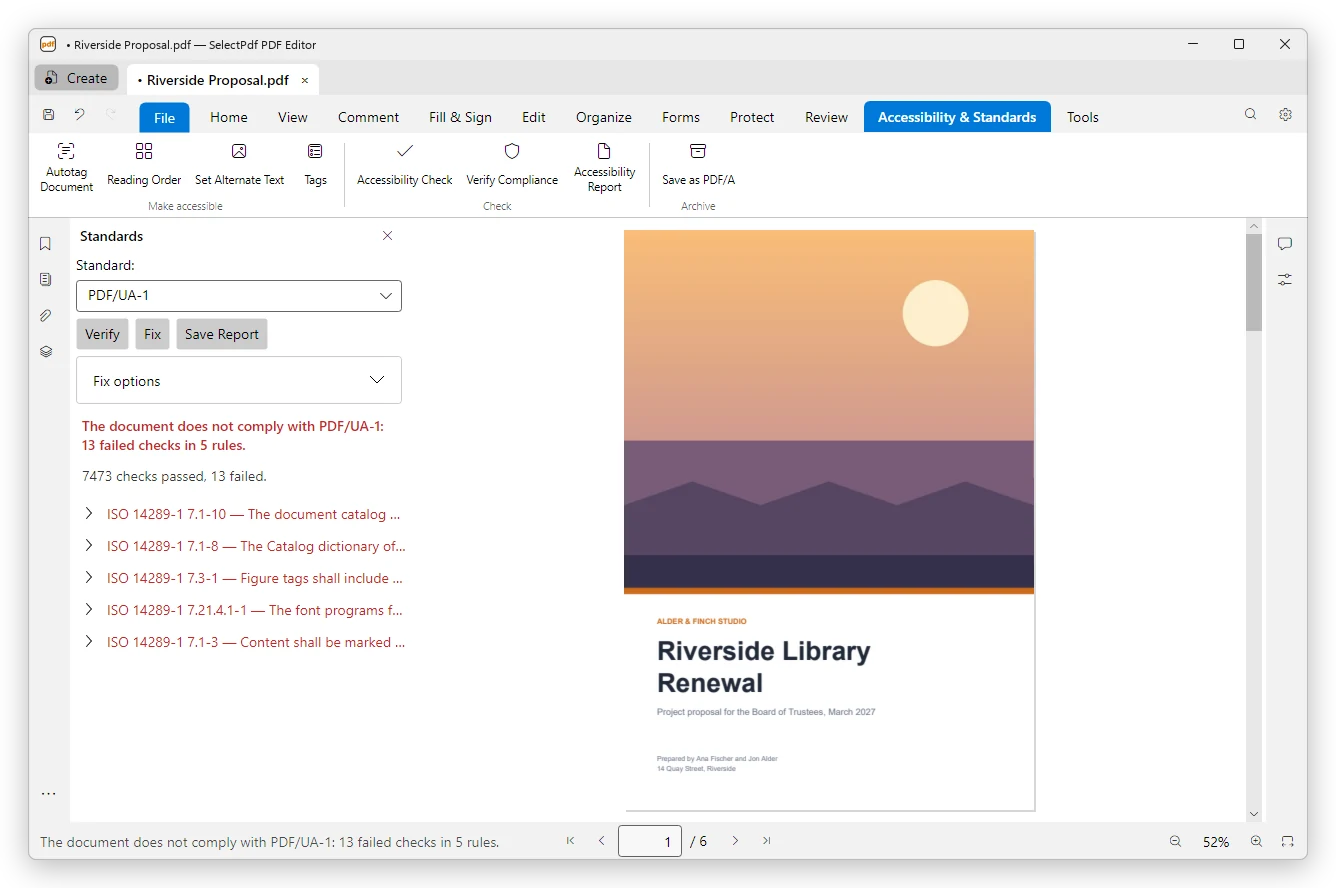
Verify Compliance checks the document against PDF/UA-1 or PDF/UA-2, the ISO standards for accessible PDF. It lists each requirement that fails, fixes what it can in one step and saves a report. It checks PDF/A and PDF/X too.
Many files, and a person's review.
Many files at once.
A batch action with Make accessible tags each file that has no tags and sets its language and title, verifies it against PDF/UA-1 or PDF/UA-2, and saves the accessibility report and the PDF/UA report beside each file. Keep them as a record of what was found. Guide: Batch processing →
What a person still checks.
A checker can see that a picture has alternate text, but not whether the text describes it well, and the same goes for a reading order that makes sense and colors with enough contrast. The check marks these rules for a manual check, and the report says which criteria they cover.
Free to check, Pro to fix.
Checking, verifying and saving the reports are free. Changing the document needs Pro: autotagging, alternate text, the Fix buttons, the tags, the reading order and batch actions. See pricing →
On Windows and Mac.
The fixes, PDF/UA verification and batch actions are in the editor for Windows and Mac. The iPhone and iPad app runs the accessibility check. Download →
SelectPdf PDF Editor helps you check and fix PDFs against the WCAG criteria EN 301 549 uses. It does not certify a document, and it does not replace your organization's own review or legal advice.
The same tools, other rules.
Section 508
US federal agencies, and the documents their contractors deliver: WCAG 2.0 Level A and AA.
ADA Title II
US state and local governments, public schools and public colleges: WCAG 2.1 Level AA.