Stamps
Stamp a PDF as Approved, Draft, Confidential, For Comment and more on iPhone and iPad, choose the stamp's colour, and move, resize or delete it.
A stamp is a comment that looks like a rubber stamp on paper: Approved, Draft, Confidential... It tells at a glance where a document stands. Stamp is one of the tools of Comment.
- Stamp, in the row of tools of Comment: tap it to choose a stamp.
Place a stamp
- Tap Comment at the bottom of the screen.
- Tap Stamp (on an iPhone, swipe the row of tools sideways to reach it).
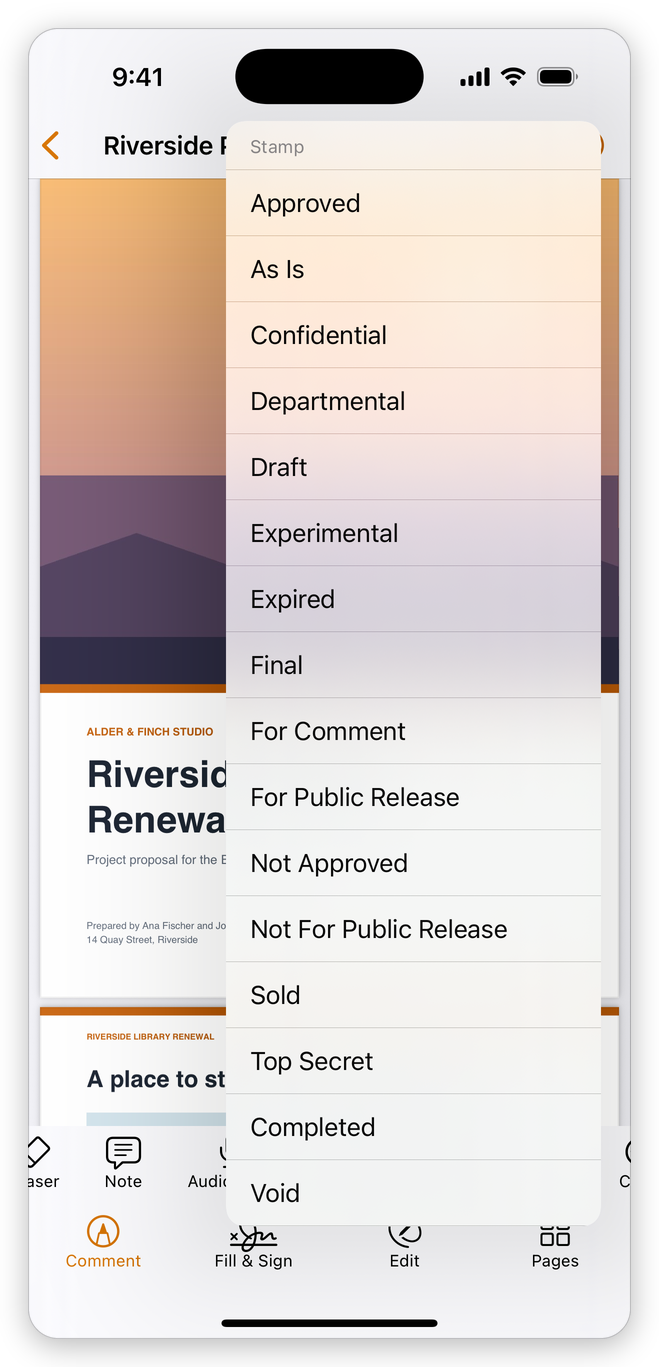
- Choose the stamp in the list.
- Tap the page where it goes. The stamp is centred where you tap.
After each stamp the tool goes back to Select: tap Stamp again for the next one.
The list has 18 stamps: Approved, As Is, Confidential, Departmental, Draft, Experimental, Expired, Final, For Comment, For Public Release, Not Approved, Not For Public Release, Sold, Top Secret, Completed, Void, Information Only and Preliminary Results. Each stamp is drawn into the document, so other PDF readers show it as it looks here.
The stamp's colour
Stamps are red at first. To stamp in another colour, tap Stamp and choose the stamp, then tap Colour before you tap the page. To change the colour of a stamp already placed, select it and tap Colour in its bar.
Move, resize or delete a stamp
Tap Select, then tap the stamp. A dashed frame shows around it, with a handle at each corner and a bar of what you can do to it.
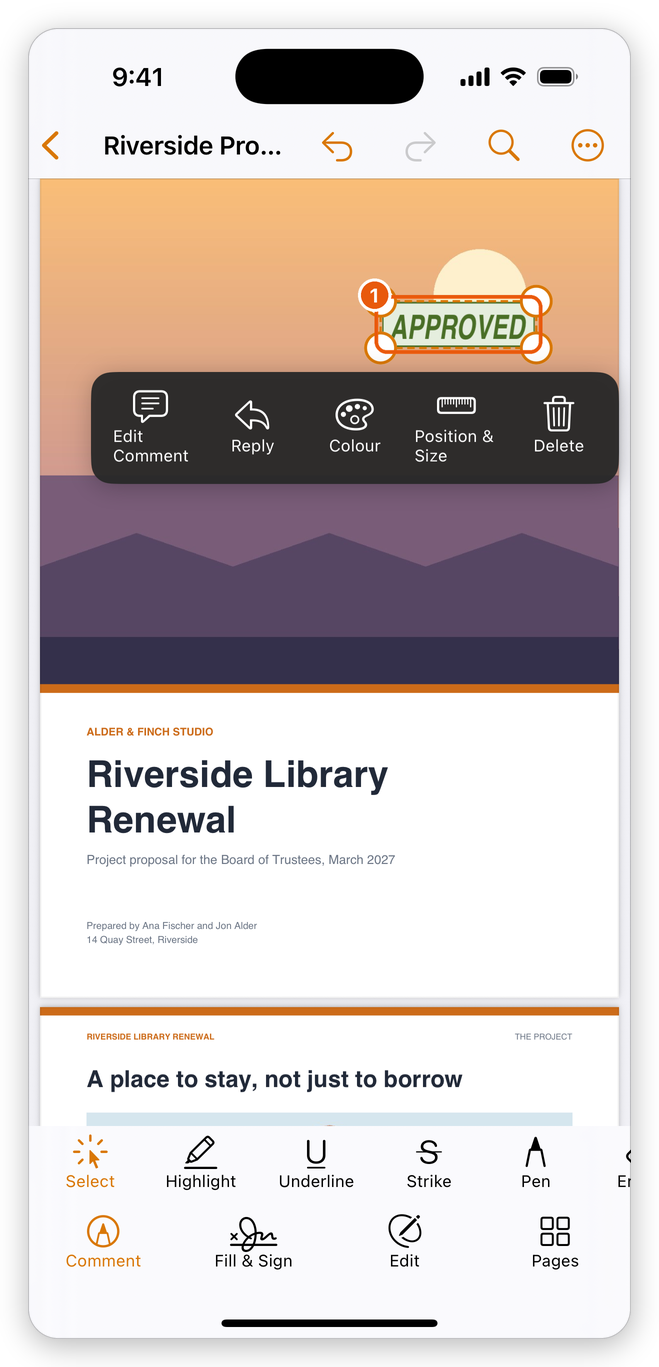
- The stamp selected, with its bar.
- Move it: drag it.
- Resize it: drag a corner handle.
- Place it exactly: tap Position & Size.
- Add a remark to it: tap Edit Comment; tap Reply to answer one.
- Delete it: tap Delete.
The list of comments shows each stamp too. See Manage comments.
Your signature or initials
To place a picture of your handwritten signature or your initials, use Fill & Sign: see Sign a PDF. The signature is placed the same way as a stamp, and moves the same way.
Stamps are free.
Related pages
- Comment on a PDF: text markup, notes and text boxes.
- Drawings and shapes: the pen, the eraser and the shapes.
- Sign a PDF: your signature and initials.