Accessibility
Check whether a document can be read with a screen reader, rule by rule, with the PDF/UA checks, and see what to fix.
An accessible PDF can be read by everyone, including people who use a screen reader: it has tags that give its reading order, its headings and lists, the text of its pictures, its language and its title. The app checks a document against the rules of Acrobat's accessibility checker, and the checks of PDF/UA, the ISO standard for accessible PDFs.
- Open the document.
- Tap More, then Tools, then Accessibility Check.
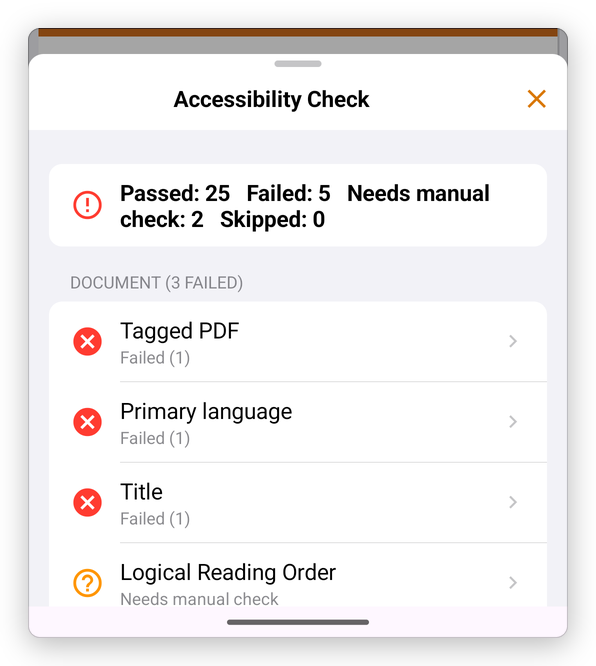
At the top, how many rules passed, failed, need a check by hand, or were skipped. Then the rules, by category, each with its result; the PDF/UA checks that failed come last.
Tap a rule to see what it asks, how to fix it, and where it failed (a page is a tap away):
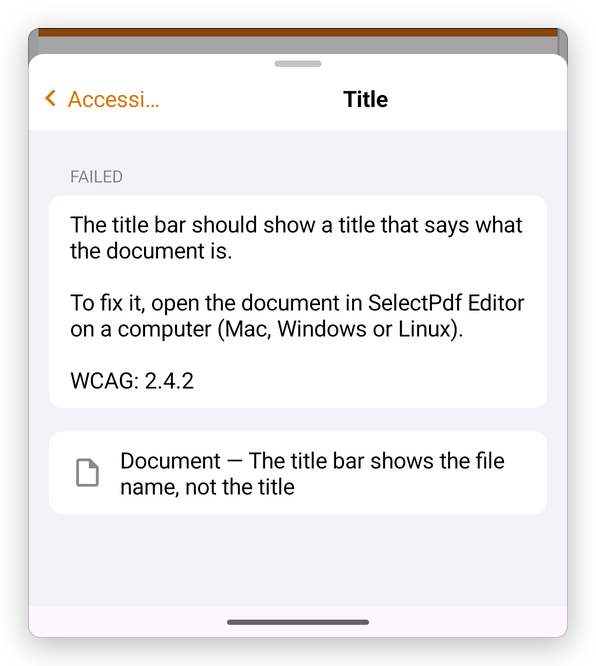
Some rules, such as the logical reading order, need a person to look: they say Needs manual check.
The check is free. Fixing what it finds, such as adding tags, alternate text or the reading order, is done in SelectPdf PDF Editor on a computer (Windows, Mac or Linux), with the same Pro license.