Print a document with Android's printing, print several pages on a sheet or a booklet, and share those layouts as a PDF.
Print a document
- Tap More, then Export, then Print.
- Android's print screen opens: choose the printer, the number of copies, the paper size, the colour and the pages.
- Tap the print button.
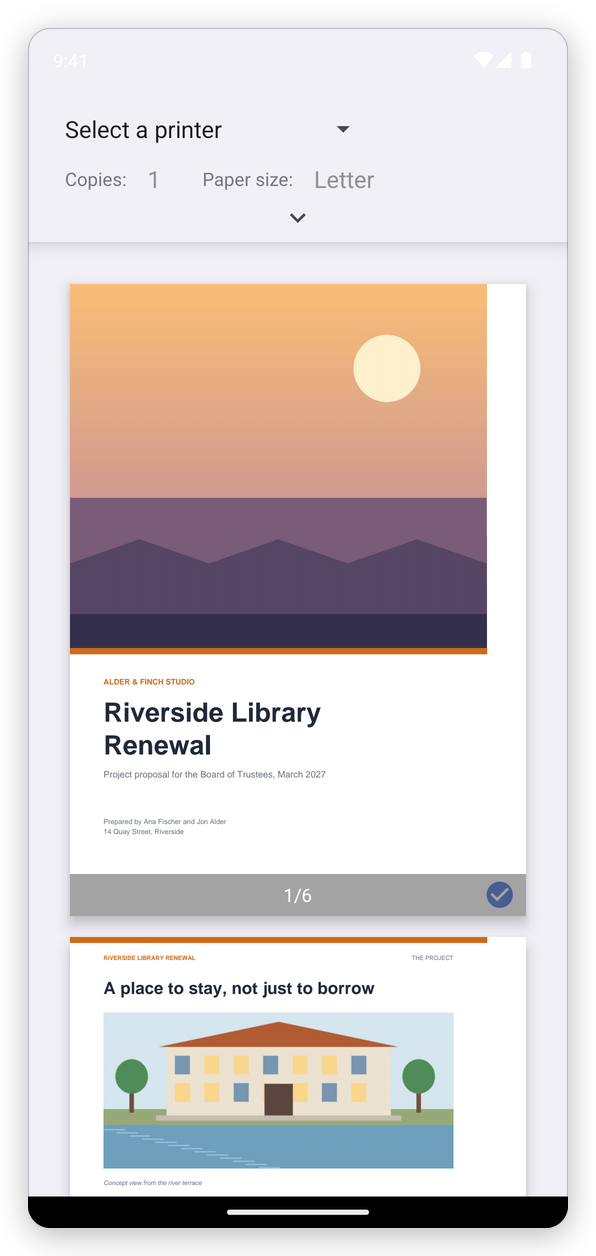
The document prints with its comments and filled form fields, as you see it. Save as PDF, in the list of printers, makes a PDF of what would be printed.
Android prints through the printers it knows: most Wi-Fi printers appear by themselves, and others need their maker's print app (a print service) from Google Play.
Several pages on a sheet, or a booklet
Tap More, then Export, then Print Layout:
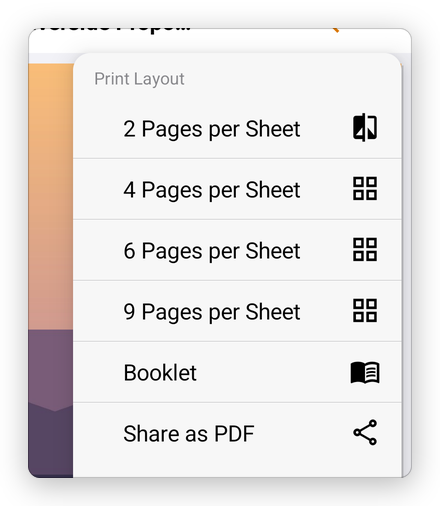
- 2 Pages per Sheet, 4 Pages per Sheet, 6 Pages per Sheet and 9 Pages per Sheet: the pages made smaller, side by side, to save paper.
- Booklet: the pages in the order a folded booklet needs, two on each side of a sheet. Print on both sides, fold the stack in the middle, and the pages follow each other.
Choose one, and Android's print screen opens with it. Share as PDF makes the same layouts as a PDF to share instead, for example to print elsewhere.