Form calculations
Make a form field work out its value from others: a sum, a product, an average, the smallest or the largest, a formula such as price times quantity, or a script.
Setting up calculations needs Pro. The calculations run for everyone who fills the form, free.
A calculated field works out its value from other fields as soon as one of them changes: the amount of a line, a subtotal, a discount, a total. Make it Read-only on its General page, so people do not type over it.
- Tap More, then Prepare Form, then Edit Fields.
- Tap the field, then Properties, then Calculate.
- Choose how its value is worked out, and tap Done.
The sum, product, average, minimum or maximum of fields
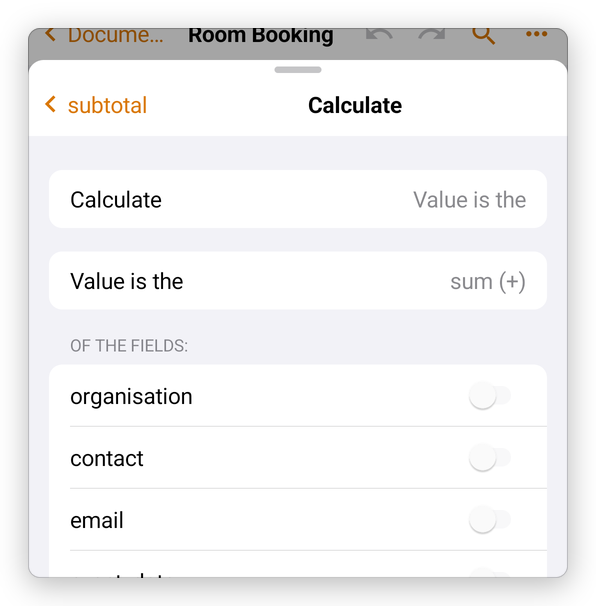
Choose Value is the, then sum (+), product (x), average, minimum or maximum, and turn on the fields it is worked out from, under of the fields:
A formula
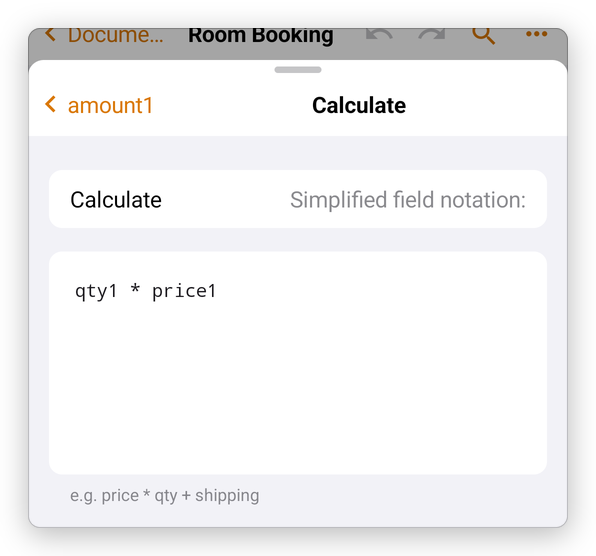
Choose Simplified field notation, and type a formula with the fields' names: qty1 * price1, subtotal - discount, price * qty + shipping. Use +, -, *, / and parentheses.
A script
Custom calculation script runs JavaScript, as in Acrobat, for anything the others cannot do, such as a discount that applies only when a box is ticked. The script sets event.value. See JavaScript and actions.
Value is not calculated takes the calculation away.
The fields are calculated in the order they were set up. Try the form in Fill in a form: fill the quantities, and the amounts and totals follow.