Clean up a document
Find and remove the information a document carries that is not shown on its pages: its details, comments, bookmarks, attachments, scripts and more.
Cleaning up documents needs Pro.
A document can carry more than its pages show: the author's name and other details, comments, bookmarks, attachments, form data, scripts, hidden layers. Before you send a document outside, remove what should not go with it.
- Tap More, then Protect & Redact, then Clean Up Document.
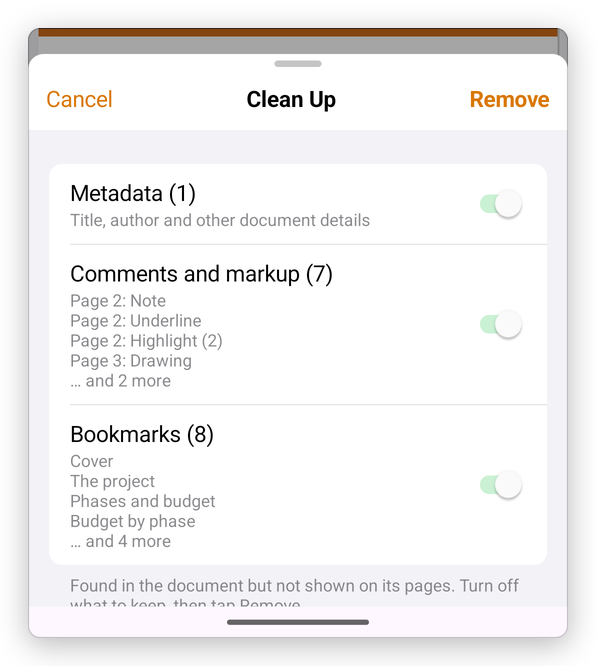
- The app lists what it found, with how much of each and what it is.
- Turn off what you want to keep.
- Tap Remove.
The app says what it removed. Undo takes it back while the document is open. If the document has nothing hidden, the app says so.
Removing information does not change what the pages show. To remove content from the pages themselves, see Redact.