Stamps
Put a stamp such as Approved, Draft or Confidential on a page, and move, resize or delete it.
A stamp says, in large letters, what a document is or where it stands: Approved, Draft, Confidential, Final. Stamps are comments, so Acrobat and other PDF apps show them and list them.
- Tap Comment, then Stamp.
- Choose a stamp.
- Tap the page where it should be.
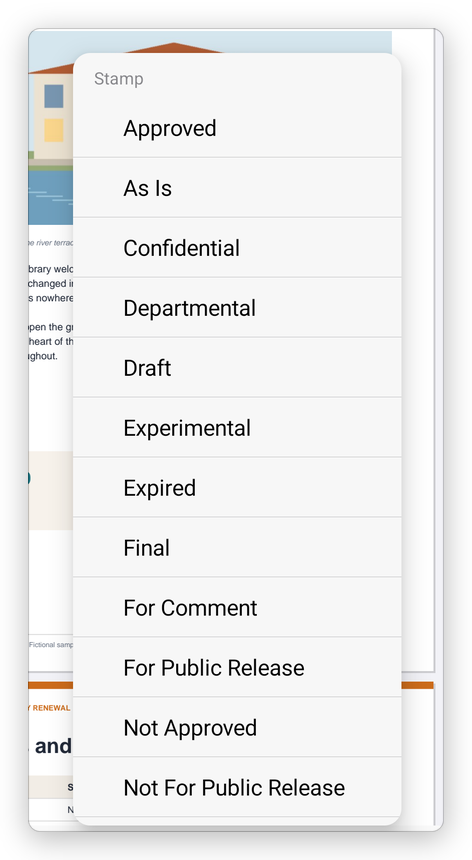
The stamps are those of Acrobat's standard set: Approved, As Is, Confidential, Departmental, Draft, Experimental, Expired, Final, For Comment, For Public Release, Not Approved, Not For Public Release, Sold, Top Secret, Completed, Void, Information Only and Preliminary Results. Scroll the list to see them all.
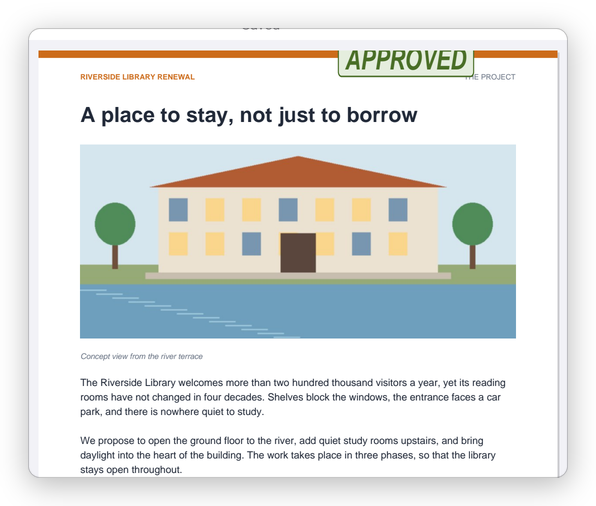
To move a stamp, tap Select, tap the stamp, and drag it. Drag its corners to make it larger or smaller, or tap Position & Size to set them exactly. Delete removes it.