Introduction
What SelectPdf PDF Editor does, what is free and what Pro adds, and how this guide is organized.
SelectPdf PDF Editor opens, reads, edits and creates PDF files on your computer. Everything happens on your device: your documents are never uploaded anywhere.
What you can do
| Task | What you can do | Pages |
|---|---|---|
| Read and find | Open several PDFs in tabs, zoom, read one or two pages at a time, reflow text, listen to a document, use rulers, grids and guides, find text in one document or a whole folder. | View, Find text, Rulers and grids |
| Navigate | Jump with page thumbnails and bookmarks, follow links, read article threads, show and hide layers, open attachments and PDF portfolios. | Bookmarks, Links, Layers, Attachments, Portfolios |
| Comment and review | Highlight, underline and strike out text, add notes, text boxes, callouts, drawings, shapes, stamps, files and sounds; reply, set a status, summarize, import and export comments; measure distances and areas; check spelling; compare two versions. | Comment, Stamps, Manage comments, Measure, Compare |
| Forms | Fill in and send forms, and design your own: text fields, check boxes, radio buttons, lists, dates, images and signature fields, with formats, checks and calculations. | Fill forms, Create forms, Calculations |
| Sign | Sign with your handwriting, a typed name or a picture, or with a digital certificate and a time stamp, and check other people's signatures. | Sign, Digital signatures |
| Edit | Change the text and pictures already on a page, add text, images, shapes and links, and add headers, footers, page numbers, Bates numbers, watermarks and backgrounds. | Edit a PDF, Headers and watermarks |
| Pages | Rotate, move, insert, replace, delete, extract, split and crop pages, set page boxes and labels, and combine files into one PDF. | Organize pages, Page boxes, Combine files |
| Create and convert | Make PDFs from Word, Excel, PowerPoint, pictures, scans, the clipboard or a web page; save PDFs as Word, Excel, PowerPoint, images, text or PDF/A; recognize the text of scanned pages; attach e-invoices. | Create, Export, Recognize text, E-invoices |
| Protect | Add passwords and permissions, encrypt for certificate holders, use security policies, redact sensitive content for good, remove hidden information. | Protect, Certificates, Redact, Sanitize |
| Accessibility and standards | Check and fix accessibility, edit tags and the reading order, verify PDF/UA, PDF/A and PDF/X, and save as PDF/A. | Accessibility, Tags, Standards |
| Automate and optimize | Run actions on many files at once, add JavaScript, make files smaller, and print. | Batch, JavaScript, Reduce size, Print |
Free and Pro
The editor is free to use for reading, commenting, filling in forms, signing with your own signature, organizing pages, combining files and making files smaller. Pro adds editing the page content, form design, certificate signatures, passwords and certificate encryption, redaction, conversion to Office formats, text recognition (OCR), comparing documents, measuring, batch processing and the other professional tools. You can try Pro free for 14 days.
Pages that describe a Pro tool say so in a box like this one:
This tool needs Pro. Without it, the editor tells you so when you use the tool, and shows how to upgrade.
How this guide is organized
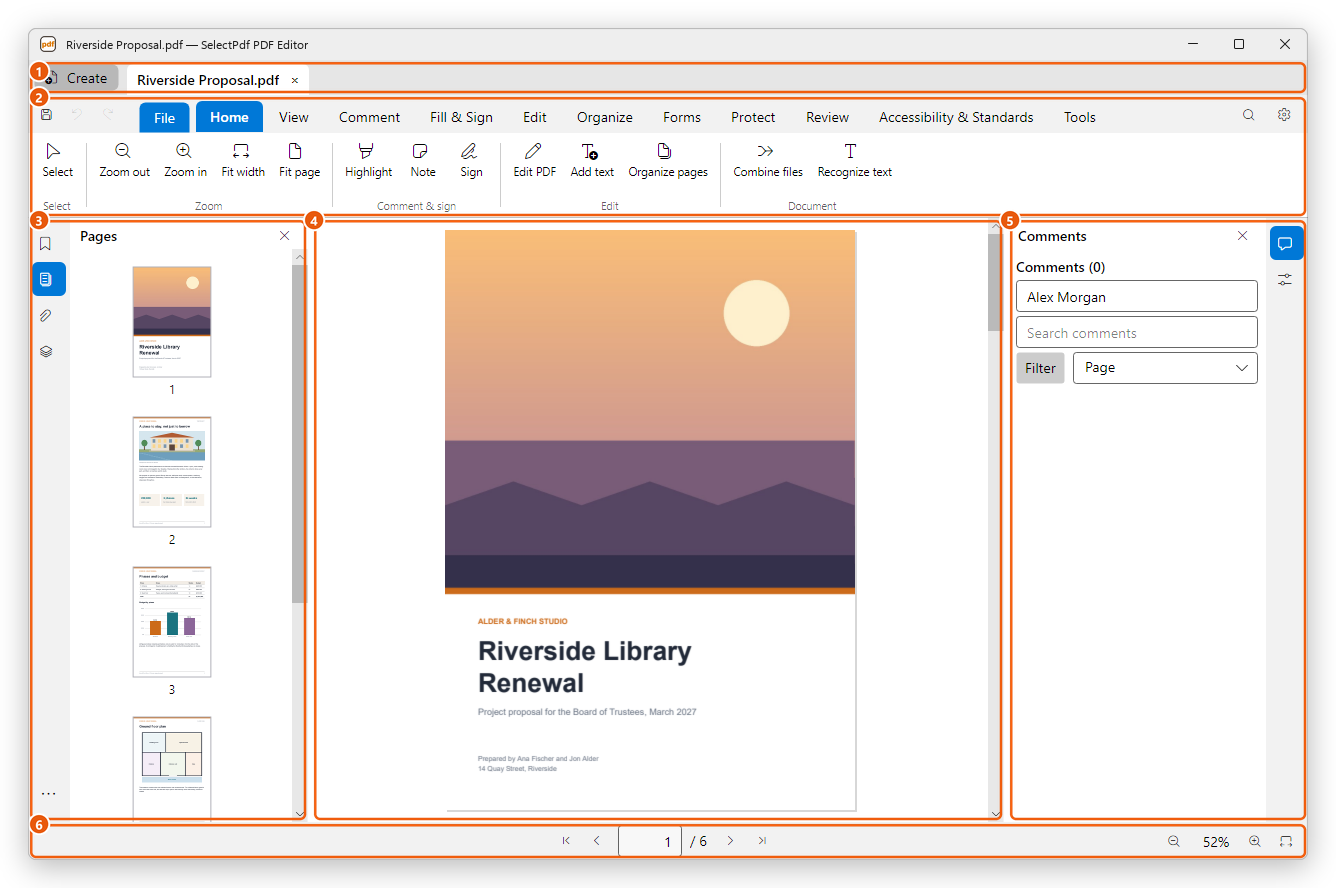
Each page covers one task, with numbered steps and pictures of the editor as it looks on Windows. Names of buttons, tabs and menus are written in bold, exactly as the editor shows them. Keyboard shortcuts look like Ctrl+O.
New to the editor? Start with the editor's window, then open a PDF. To find any command quickly, use the command search.